> ## Documentation Index
> Fetch the complete documentation index at: https://docs.incredibuild.com/llms.txt
> Use this file to discover all available pages before exploring further.
# Purchasing Incredibuild Cloud from Azure Marketplace
You can purchase Incredibuild Cloud directly from [Azure Marketplace](https://azuremarketplace.microsoft.com/en-us/marketplace/apps/incredibuild.incredibuild_hybrid). Currently, all packages on Azure marketplace require a licensed, working Incredibuild Coordinator (Windows or Linux) that you manage separately.
## Purchasing and Installing Incredibuild Cloud from Azure Marketplace
1. Go to the [Azure Marketplace](https://azuremarketplace.microsoft.com/en-us/marketplace/apps/incredibuild.incredibuild_hybrid).
2. Search for Incredibuild.
3. Select the package you want based on your version of Incredibuild (Windows or Linux) and the number of **Core Hours** in your plan.
4. When you complete your order, the IncrediUser Login window will open automatically. Enter your details or click **Create a New User**.
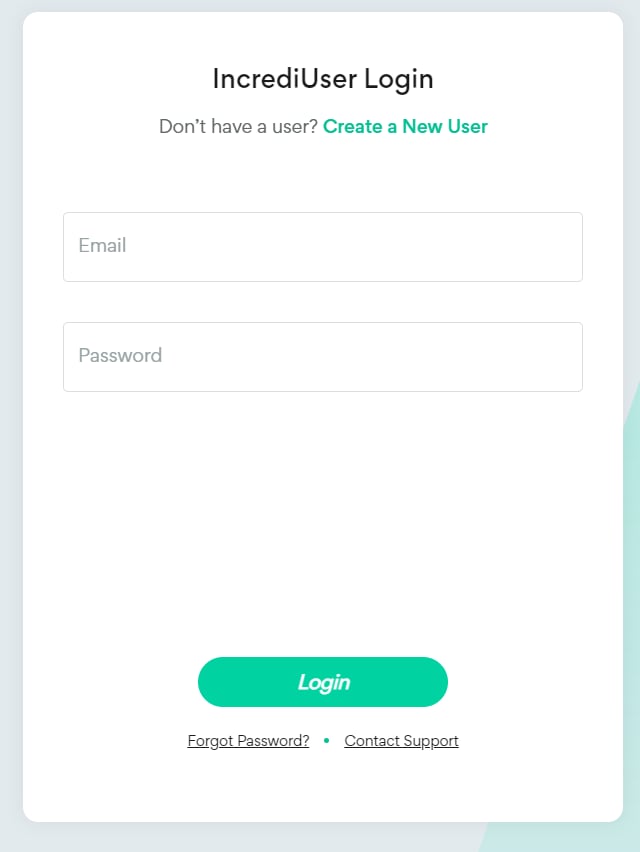 5. If you created a new user, enter your user details and click **Register**.
 6. You should receive an email with instructions to go to your Coordinator and open the cloud settings by clicking **Unlock the Cloud** (in Windows) or **Add Cloud Cores** (in Linux).
7. Log in with the same user you created (or logged in with) above.
8. Click **Next** to activate your new cloud license.
6. You should receive an email with instructions to go to your Coordinator and open the cloud settings by clicking **Unlock the Cloud** (in Windows) or **Add Cloud Cores** (in Linux).
7. Log in with the same user you created (or logged in with) above.
8. Click **Next** to activate your new cloud license.
 9. Create and enter your [Azure login details](/cloud/get-azure-login-details).
10. Continue with the [Cloud Settings](/cloud/settings). If you want to change these settings after configuring your environment, please contact [support@incredibuild.com](mailto:support@incredibuild.com).
9. Create and enter your [Azure login details](/cloud/get-azure-login-details).
10. Continue with the [Cloud Settings](/cloud/settings). If you want to change these settings after configuring your environment, please contact [support@incredibuild.com](mailto:support@incredibuild.com).