> ## Documentation Index
> Fetch the complete documentation index at: https://docs.incredibuild.com/llms.txt
> Use this file to discover all available pages before exploring further.
# Deleting Active Cloud Machines
You can terminate Cloud VMs that are currently participating in the execution of a task.
This process differs slightly depending on which version of Incredibuild you are using.
1. On the Coordinator Monitor – **Cloud Machines** pane, locate the VM you want to delete.
2. Right-click the VM, and select **Release Agent**:
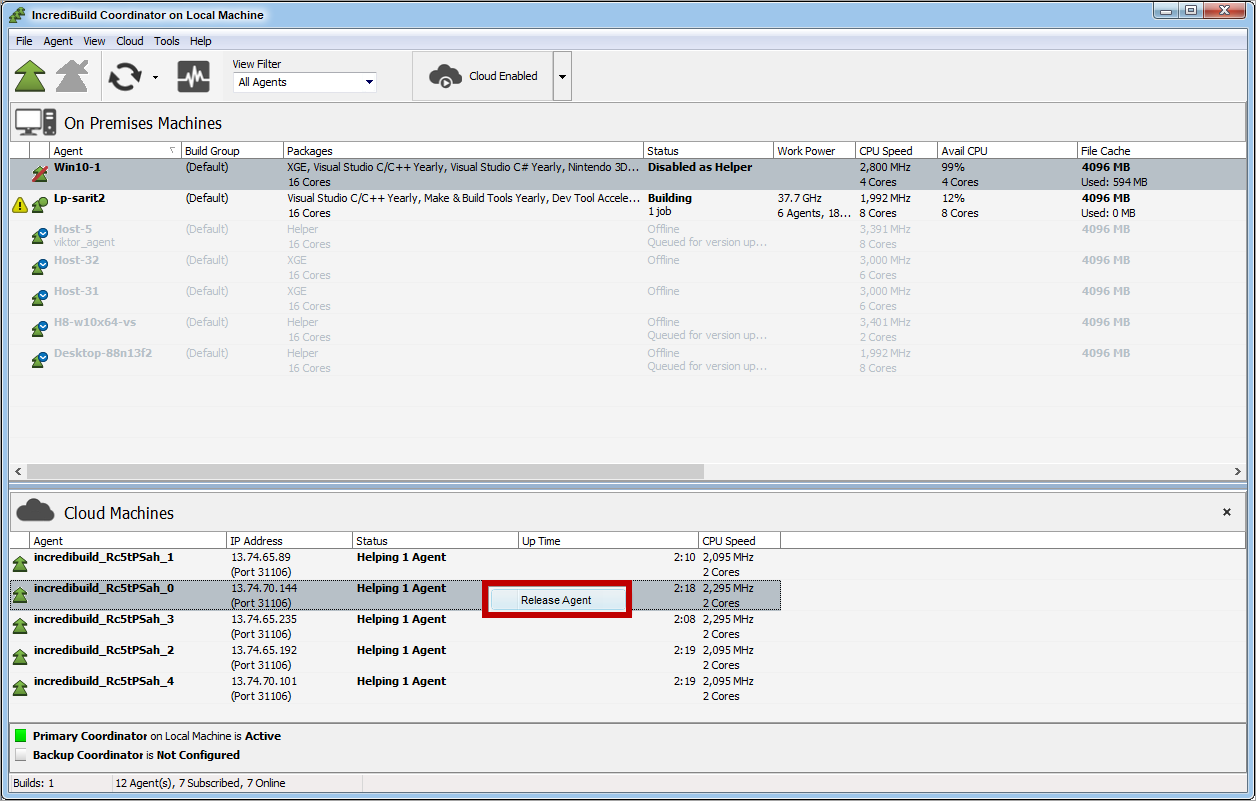 The VM is terminated, and it no longer appears in the **Cloud Machines** pane.
1. On the Coordinator Manager's **Agent List**, locate the VM you want to delete.
2. Click the options menu (three dots) and click **Release cloud agent**.
The VM is terminated, and it no longer appears in the **Cloud Machines** pane.
1. On the Coordinator Manager's **Agent List**, locate the VM you want to delete.
2. Click the options menu (three dots) and click **Release cloud agent**.
