> ## Documentation Index
> Fetch the complete documentation index at: https://docs.incredibuild.com/llms.txt
> Use this file to discover all available pages before exploring further.
# Viewing Incredibuild Cloud Activity
When Incredibuild Cloud is active, Incredibuild automatically allocates available cores of VMs on the cloud to accelerate the execution of your tasks. You can view different information about your cloud VMs depending on which version of Incredibuild you are using:
Your cloud agents are visible along with your regular agents in the Agents list:
 To filter the list and only view your cloud agents, filter by license type:
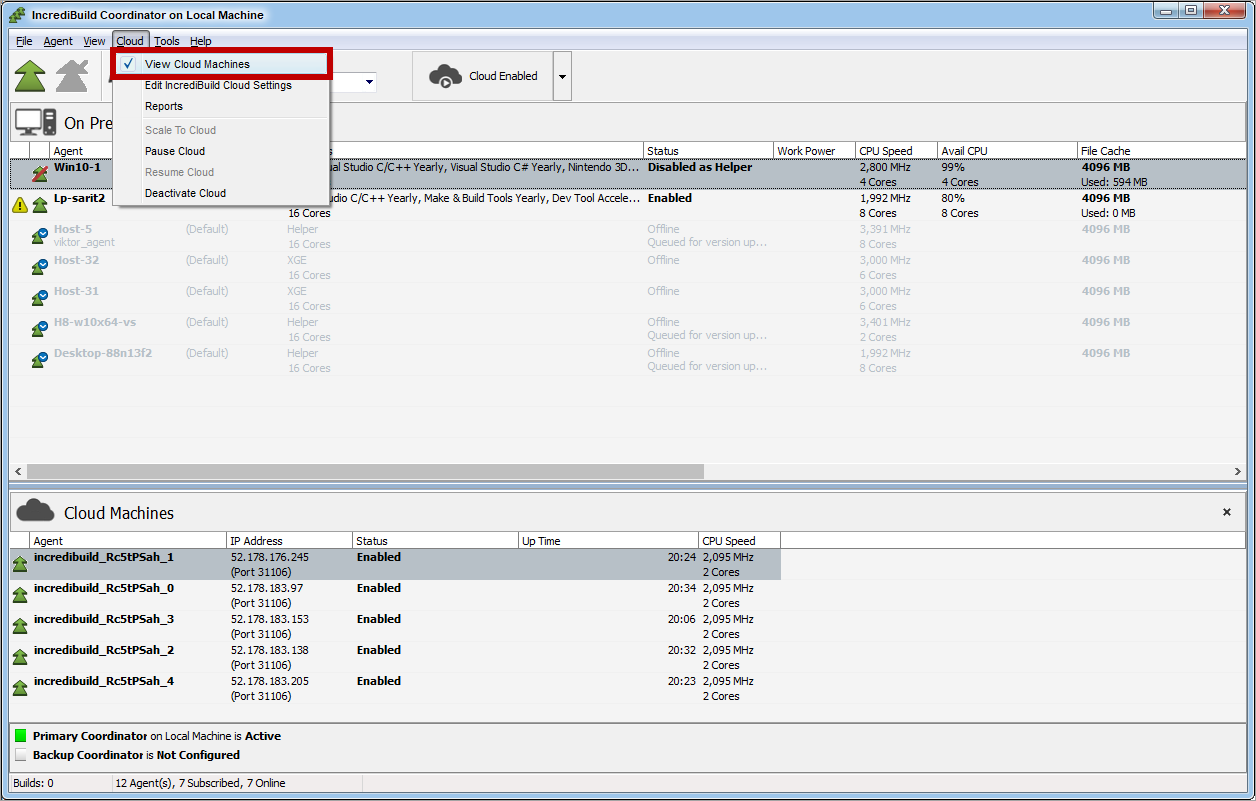
 The allocation of VM cores for your tasks is displayed on the Coordinator Monitor in a separate pane, called **Cloud Machines**:
 The **Cloud Machines** pane provides you with information on the activity of the VMs used by Incredibuild Cloud.
When Incredibuild Cloud is activated for the first time, the VMs that are created for the pool appear in the **Cloud Machines** pane. Once these VMs are moved to a Sleep state, they no longer appear in this pane. After the creation of the pool, only VMs that currently participate as Initiator and Helper Agents in a running task are displayed in the **Cloud Machines** pane.
**Info:** You can also see the activity of Incredibuild Cloud via Azure portal and Incredibuild Build Monitor:
The **Cloud Machines** pane provides you with information on the activity of the VMs used by Incredibuild Cloud.
When Incredibuild Cloud is activated for the first time, the VMs that are created for the pool appear in the **Cloud Machines** pane. Once these VMs are moved to a Sleep state, they no longer appear in this pane. After the creation of the pool, only VMs that currently participate as Initiator and Helper Agents in a running task are displayed in the **Cloud Machines** pane.
**Info:** You can also see the activity of Incredibuild Cloud via Azure portal and Incredibuild Build Monitor: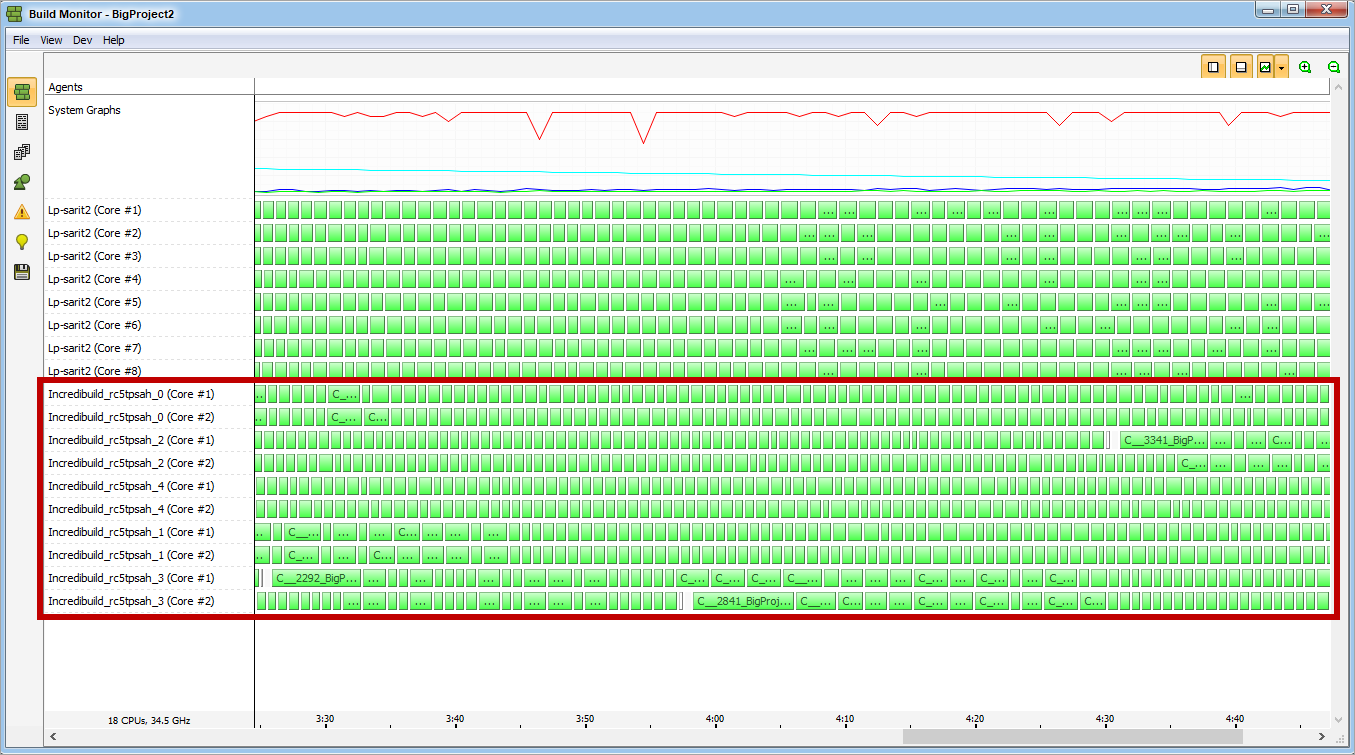 **To show/hide the Cloud Machines pane:**
* Open the **View** menu, and select **View Cloud Machines**:
**To show/hide the Cloud Machines pane:**
* Open the **View** menu, and select **View Cloud Machines**: