

To Enable SSL Using Incredibuild’s Self-Signed Certificate
Go to the Coordinator Settings > Network tab and use the SSL checkbox (disabled by default):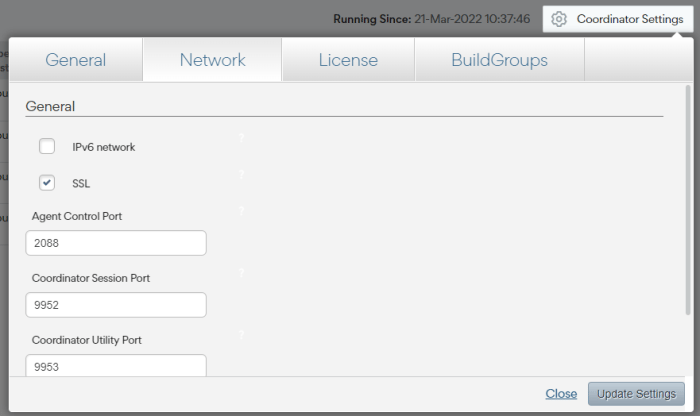
Enable SSL Using a Custom SSL Certificate
If you want to use your own certificate instead of Increduild’s self-signed certificate, you can upload your certificate manually.- Go to the Coordinator Settings > Network tab and check SSL.
-
Run the following script pointing to your certificate. Both the certificate and key must be base64 encoded and the key cannot be password protected.
Run this script on every machine that you want to use this certificate.
- Make sure that all machines in your environment trust the certificates you just added. Generally, this is done by adding the Certificate Authority’s certificate to the trusted root store on every machine.