

What Happens if the Primary Coordinator Goes Down?
The Secondary Coordinator checks the connection to the Primary Coordinator in the interval set in the timeout setting. If the Primary Coordinator is not responsive within the defined timeout, the secondary coordinator will contact all agents in the grid and they will continue operating via the Secondary Coordinator. The Primary Coordinator is considered not responsive in any of the following cases:- The coordinator machine is down.
- The coordinator machine disconnected from the network.
- The coordinator service (ib_coordinator) in the machine is down.

Upgrading the Secondary Coordinator
The Secondary Coordinator cannot be upgraded independently. When you upgrade your Primary Coordinator, all associated Agents and the Secondary Coordinator are automatically upgraded to the same version.How to Set up a Secondary Coordinator
There is a flag to install a secondary coordinator (-E)-
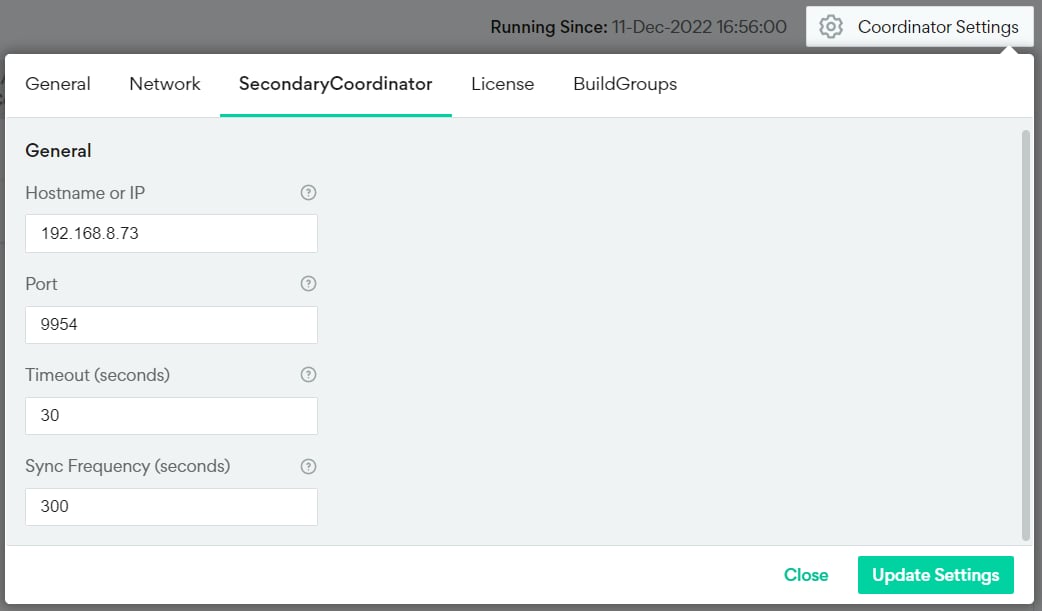
Go to Coordinator Settings > SecondaryCoordinator
-
Enter the following details:
- Hostname or IP of the machine that will host your Secondary Coordinator. This must be set before you install Incredibuild on the machine.
- The Port used to connect from the Secondary Coordinator to the Primary Coordinator. This port must be available and dedicated for Incredibuild. The default is 9954.
- The Timeout in seconds for your Primary Coordinator before the Secondary Coordinator is activated.
- The Sync Frequency in seconds that your Secondary Coordinator fetches settings and information from your Primary Coordinator.
-
Install an Incredibuild Coordinator on the new machine using the -E flag. For example:
For more details, see Installing Components.
-
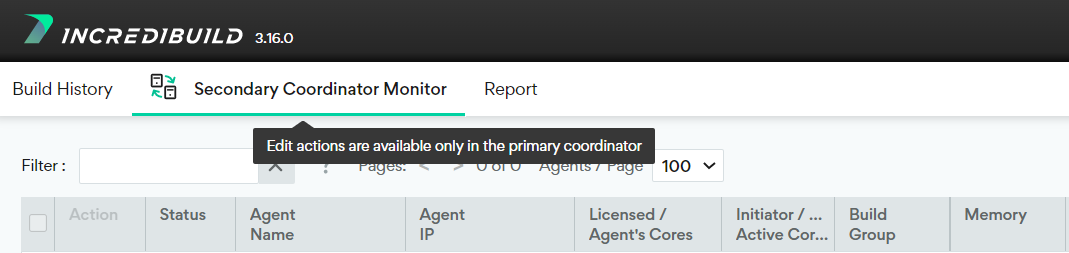
You can verify that the Secondary Coordinator is installed and ready by looking at the bottom of the grid in the Coordinator Monitor.

- You can recognize the secondary by the Secondary Coordinator Monitor title at the top.