

Manually Subscribing / Unsubscribing Agents
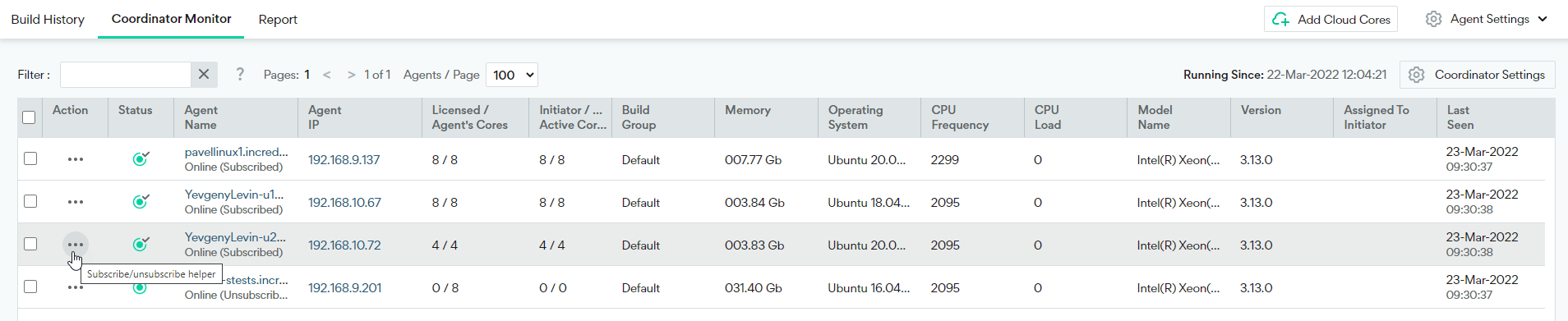
- Go to Management Console > Coordinator Monitor.
-
Click the button in the Action column next to an individual Agent.
-
Select Subscribe or Unsubscribe.

- When subscribing, you also need to select the type of cores (Agent or Server) you wish to allocate to this Agent.
- When subscribing, you also need to select the number of licenses you wish to allocate to the Agent. The default value of -1 means that the number of licenses that will be allocated will match the number of cores detected on this machine, if enough licenses are available.