

To Enable SSL Using Incredibuild’s Self-Signed Certificate
Go to the Coordinator Settings > Network tab and use the SSL checkbox (disabled by default):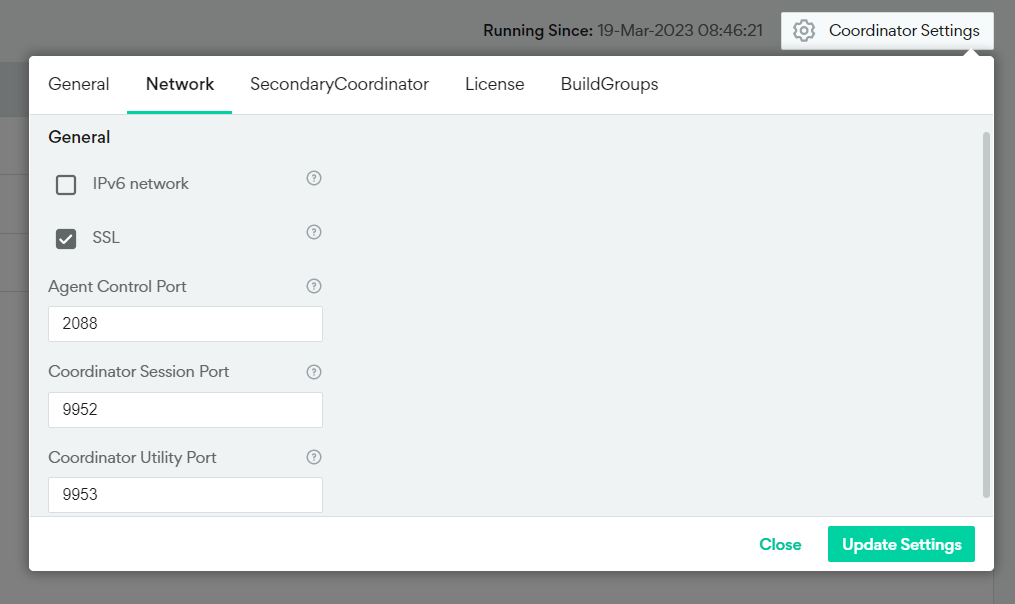
Enable SSL Using a Custom SSL Certificate
If you want to use your own certificate instead of Increduild’s self-signed certificate, you can upload your certificate manually.- Go to the Coordinator Settings > Network tab and check SSL.
-
Run the script to install certificates.
- Where <cert> can be a single server certificate, or the full certificate chain.
- The certificates and keys can be PEM or DER formats, and the key cannot be password protected.
- If you are using the full certificate chain, it must be in either PKCS7 format (.p7b files in both PEM and DER formats) or a list of concatenated pem certificates.
- Run this script on every machine that you want to use this certificate.
-
Make sure that all machines in your environment trust the certificates you just added.
- If your certificate only includes a single server certificate, clients in your environment must contain the root CA and intermediate CAs in their trusted certificate store.
- If your certificate includes the full certificate chain, clients in your environment must contain the root CA in their trusted certificate store.