> ## Documentation Index
> Fetch the complete documentation index at: https://docs.incredibuild.com/llms.txt
> Use this file to discover all available pages before exploring further.

# API Keys

Last updated on Oct 29, 2023

To enhance security for our API calls, you need to use a custom API key in every API call.

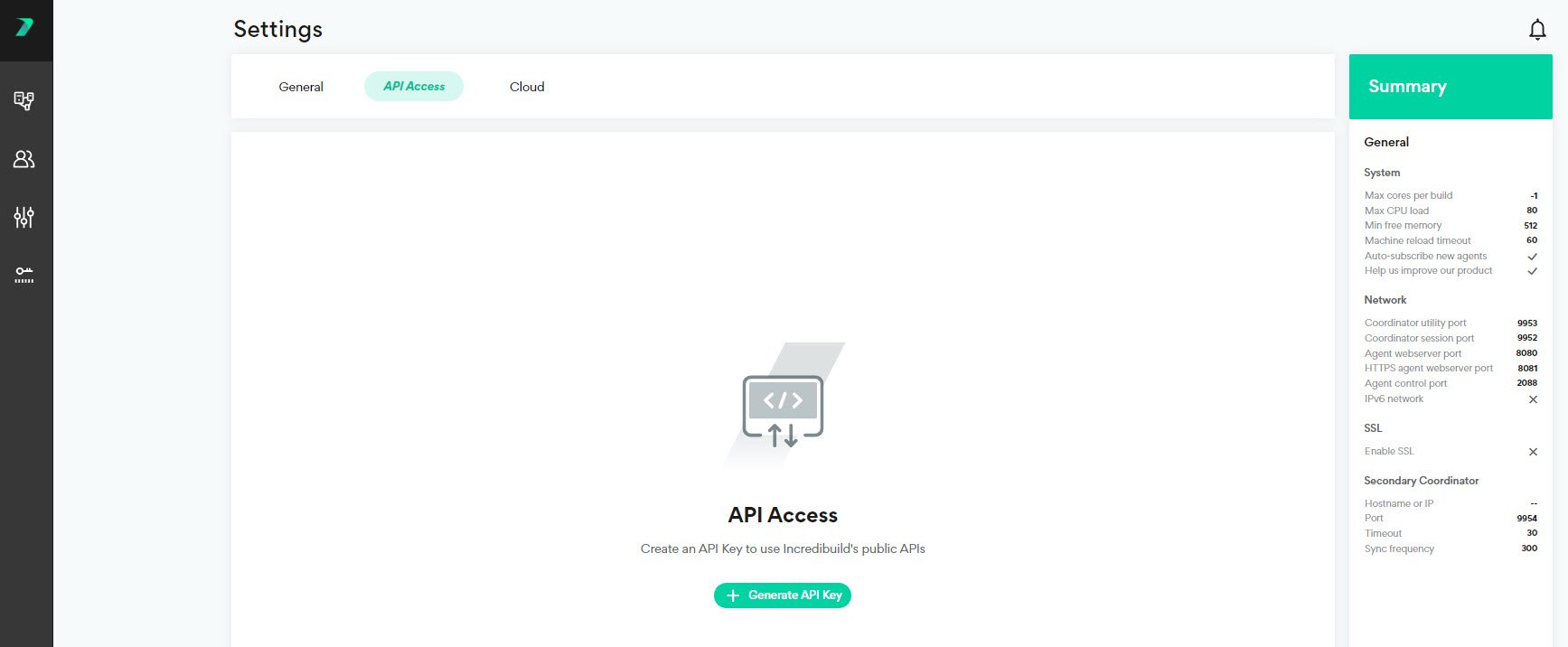
1. In the **Coordinator Manager**, go to **Settings** > **API Access** and click **Generate API Key**.
   <img src="https://mintcdn.com/incredibuild-docs-migrated/tThP9hSFO8YxJqle/images/linux/4.10.0/linux/linux_4/api_key_generate_key.jpg?fit=max&auto=format&n=tThP9hSFO8YxJqle&q=85&s=1b46a40043baa4155864376297153543" alt="" width="1735" height="716" data-path="images/linux/4.10.0/linux/linux_4/api_key_generate_key.jpg" />

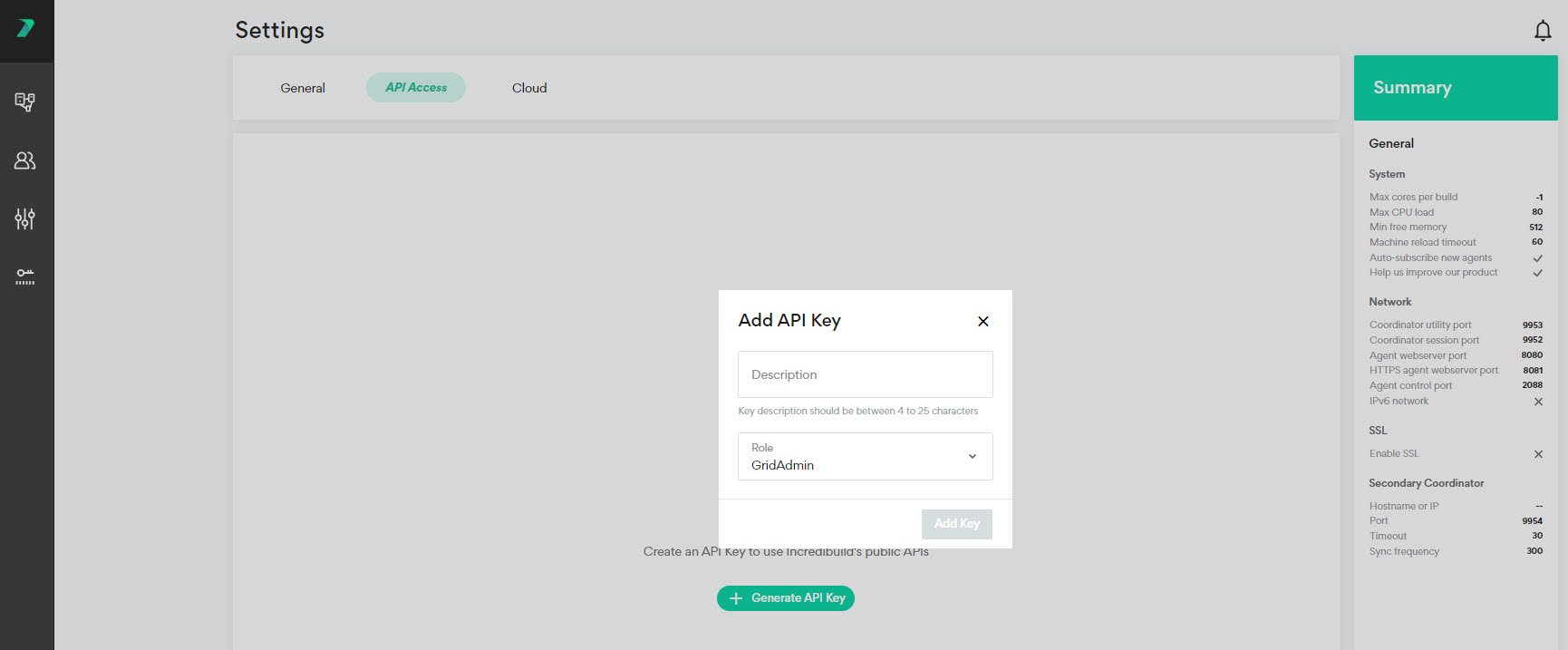
2. Enter a description to identify the API Key and specify the type of users who are allowed to use this key. Click **Add Key**.
   <img src="https://mintcdn.com/incredibuild-docs-migrated/QUJ-Bv6_FxljHVcl/images/linux/4.10.0/linux/linux_4/api_key_add_first_key.jpg?fit=max&auto=format&n=QUJ-Bv6_FxljHVcl&q=85&s=e81b9457b0e034ca651c1ab3bfda7656" alt="" width="1730" height="717" data-path="images/linux/4.10.0/linux/linux_4/api_key_add_first_key.jpg" />

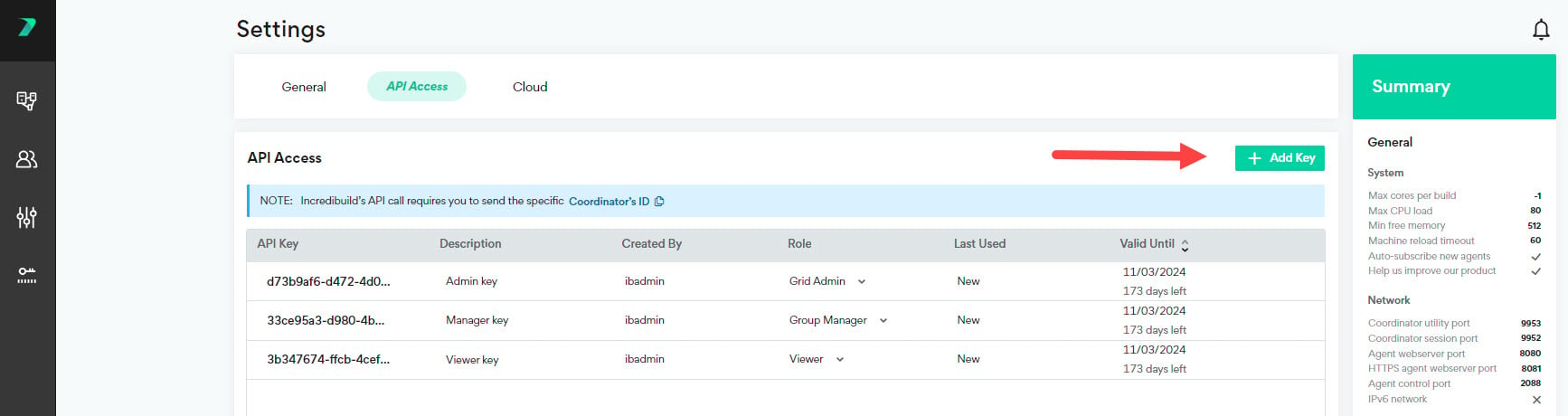
3. You can add additional API Keys by clicking **Add Key**.
   <img src="https://mintcdn.com/incredibuild-docs-migrated/QUJ-Bv6_FxljHVcl/images/linux/4.10.0/linux/linux_4/api_key_add_key.jpg?fit=max&auto=format&n=QUJ-Bv6_FxljHVcl&q=85&s=8613abc05b09fd95cddb037cc5865de1" alt="" width="1734" height="460" data-path="images/linux/4.10.0/linux/linux_4/api_key_add_key.jpg" />

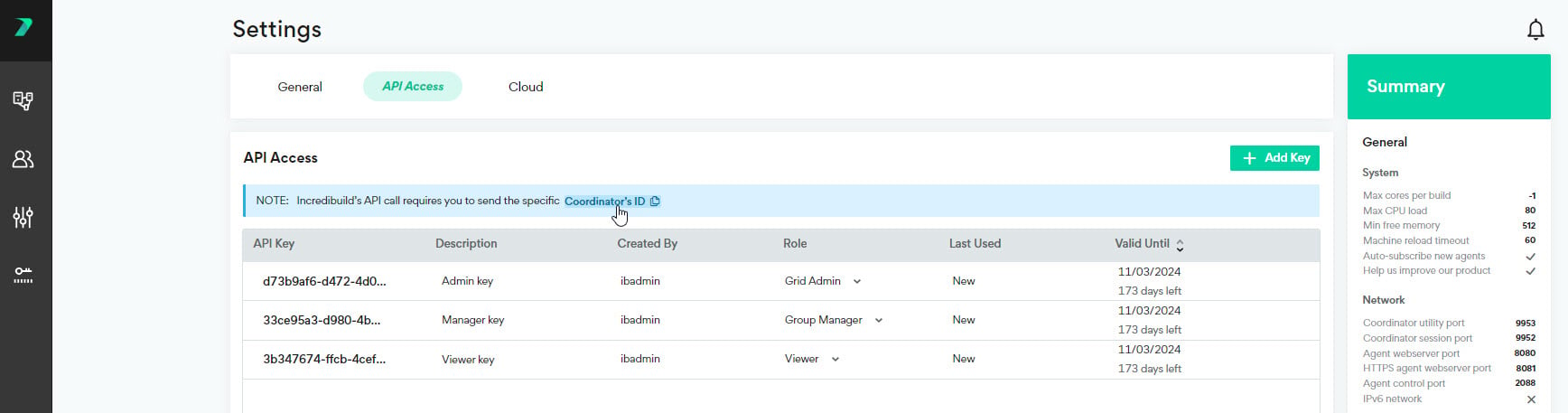
4. You can **copy** your Coordinator's ID to the clipboard to help you create API's.
   <img src="https://mintcdn.com/incredibuild-docs-migrated/QUJ-Bv6_FxljHVcl/images/linux/4.10.0/linux/linux_4/api_key_copy_id.jpg?fit=max&auto=format&n=QUJ-Bv6_FxljHVcl&q=85&s=6755a6b7a45f9463db4da8f314814ec9" alt="" width="1736" height="457" data-path="images/linux/4.10.0/linux/linux_4/api_key_copy_id.jpg" />

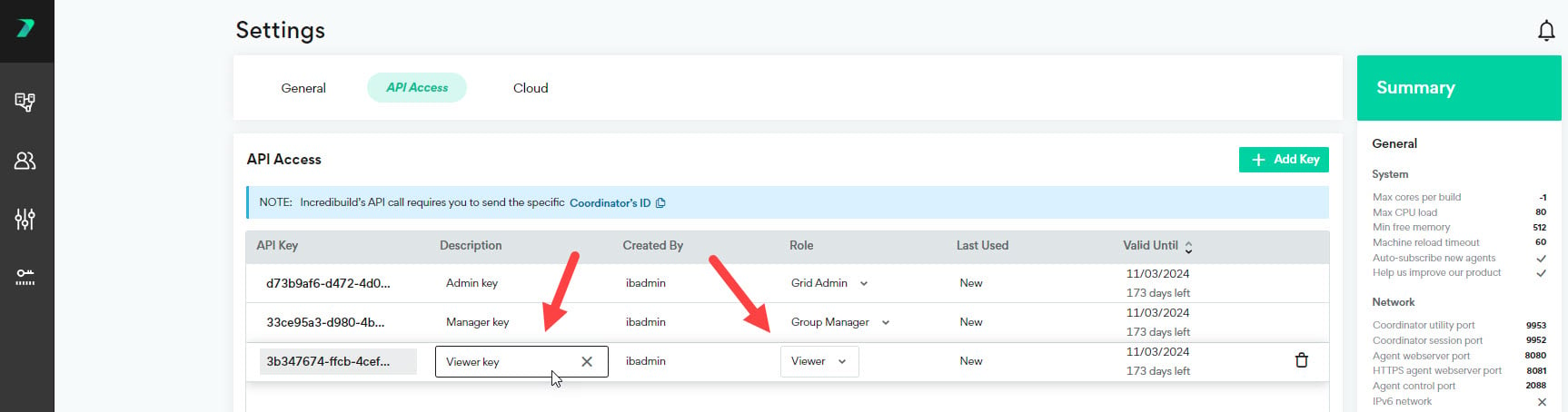
5. You can **edit** an API Key by clicking the values in the columns and changing them.
   <img src="https://mintcdn.com/incredibuild-docs-migrated/QUJ-Bv6_FxljHVcl/images/linux/4.10.0/linux/linux_4/api_key_edit_columns.jpg?fit=max&auto=format&n=QUJ-Bv6_FxljHVcl&q=85&s=47c2a0e53ecc174bce4f1c2cc212ba80" alt="" width="1726" height="454" data-path="images/linux/4.10.0/linux/linux_4/api_key_edit_columns.jpg" />

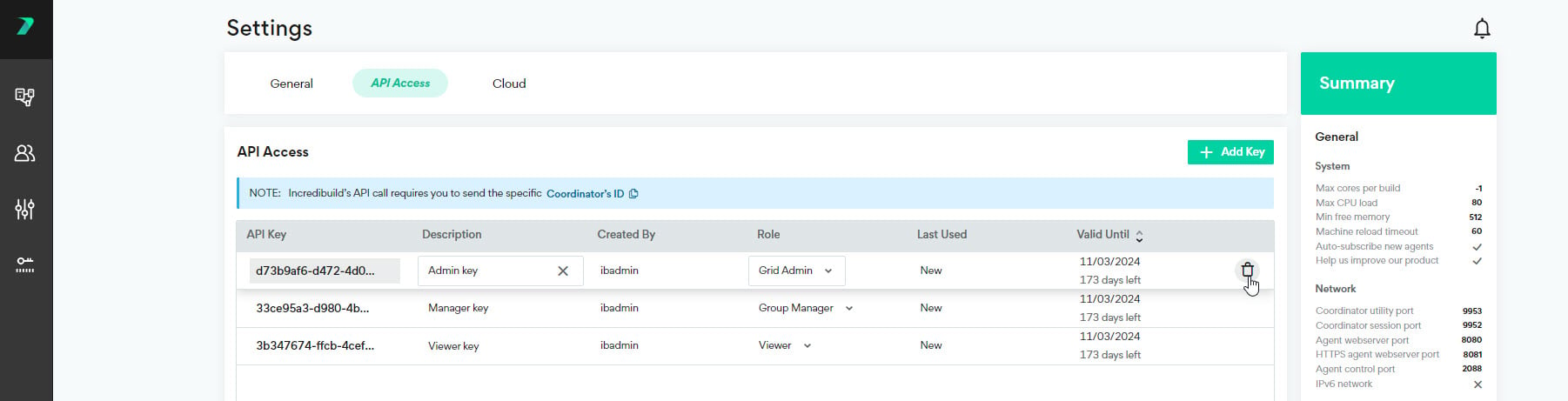
6. You can **delete** an API Key by clicking the trash icon.
   <img src="https://mintcdn.com/incredibuild-docs-migrated/QUJ-Bv6_FxljHVcl/images/linux/4.10.0/linux/linux_4/api_key_delete_key.jpg?fit=max&auto=format&n=QUJ-Bv6_FxljHVcl&q=85&s=94f9409955cc7525912dda07aaf5ea41" alt="" width="1802" height="461" data-path="images/linux/4.10.0/linux/linux_4/api_key_delete_key.jpg" />
