> ## Documentation Index
> Fetch the complete documentation index at: https://docs.incredibuild.com/llms.txt
> Use this file to discover all available pages before exploring further.
# Subscribing and Unsubscribing Agents
Last updated on Apr 02, 2024
You have a limited number of licenses managed by your Coordinator. You can distribute these licenses by subscribing and unsubscribing Helper Agents.
## Automatically Subscribe New Agents
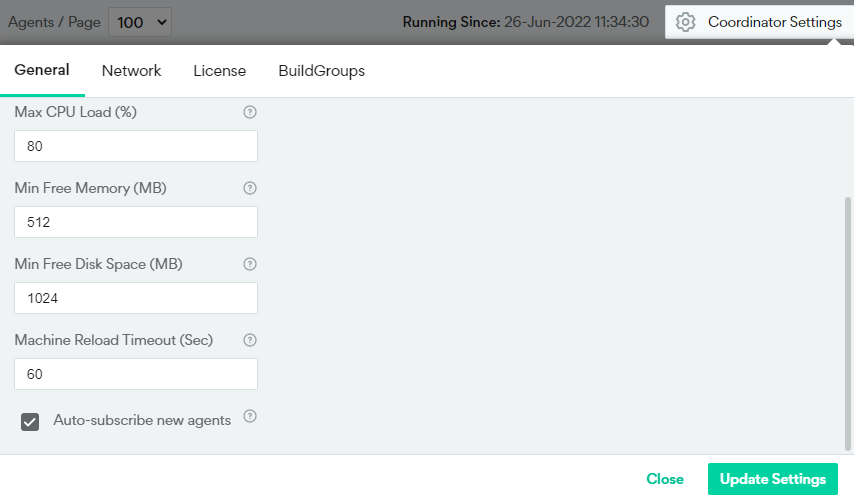
By default, all Agents are automatically subscribed when they are installed. However, you can change the default using the checkbox in the **Coordinator Monitor > Coordinator Settings > General tab**.
 ## Manually Subscribe or Unsubscribe Agents
You can manually subscribe or unsubscribe Agents from the Coordinator Monitor using the Action column. Click the three dots to view the options:
## Manually Subscribe or Unsubscribe Agents
You can manually subscribe or unsubscribe Agents from the Coordinator Monitor using the Action column. Click the three dots to view the options:
 Note that you can also see how many licenses you have, and how many are currently assigned to an Agent.
## View Subscription Status in Command Line
If you are working in the command line, you can see whether an Agent is subscribed by using the `--check-license` flag. For more details, see [Executing Builds](/mac/execute-builds-options).
Note that you can also see how many licenses you have, and how many are currently assigned to an Agent.
## View Subscription Status in Command Line
If you are working in the command line, you can see whether an Agent is subscribed by using the `--check-license` flag. For more details, see [Executing Builds](/mac/execute-builds-options).