Exporting Logs to Support
You can general logs of your builds that can be used to troubleshoot issues in coordination with Incredibuild support.
-
Enhance the Log Level:
-
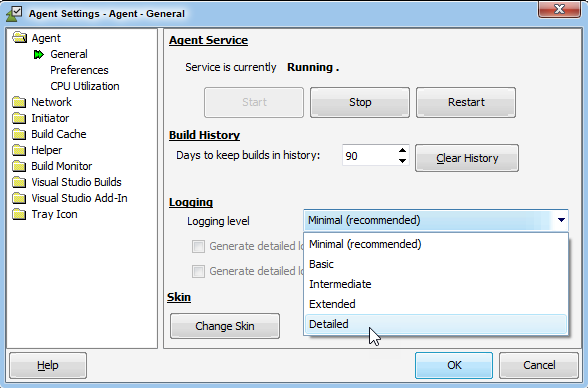
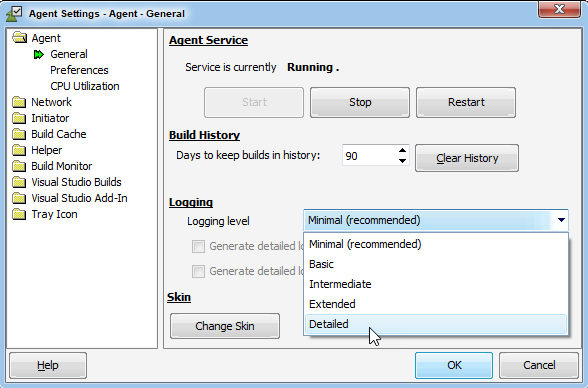
On the Agent that initiated the build, go to the Agent Settings > Agent > General page.
-
Change the Logging level to Detailed.
-
-
Rerun your build on the same machine.
-
Save the Build History:
-
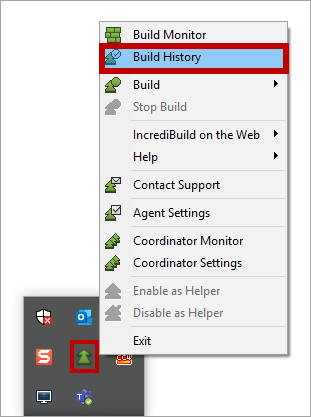
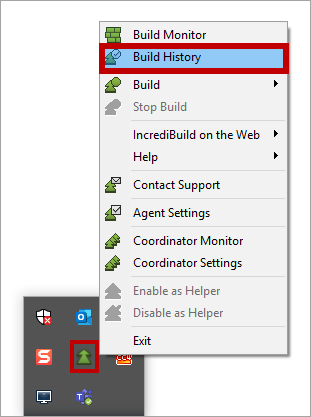
Right-click the IncrediBuild Agent icon on the taskbar, and select Build History.
-
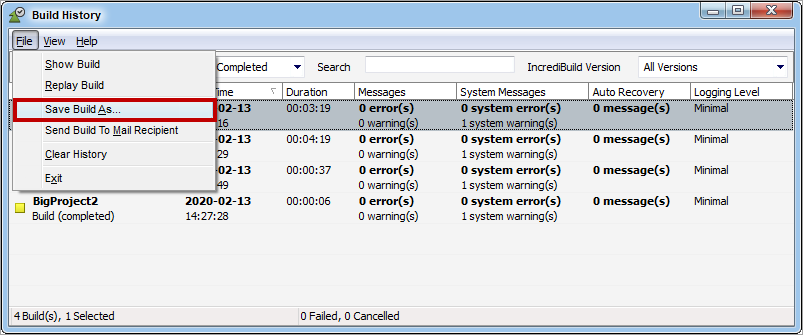
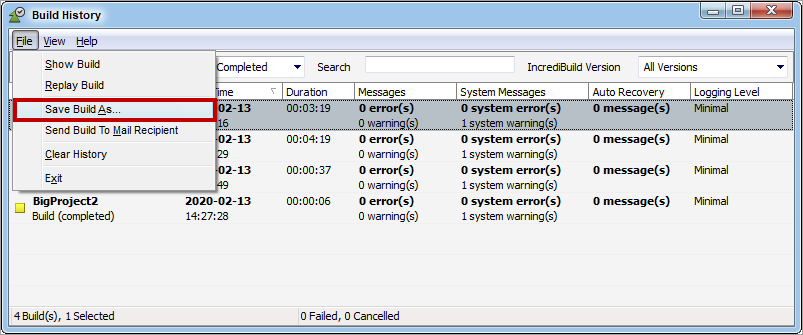
Select the desired Build, then go to File > Save Build As....
-
-
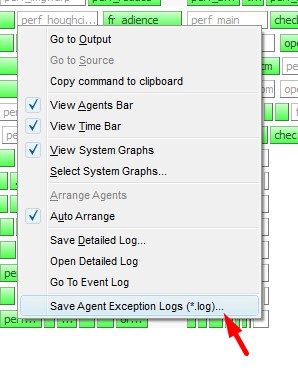
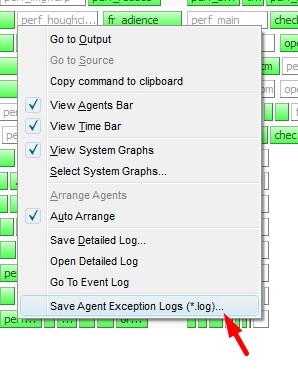
If you are having an issue with a few specific tasks, save their details in logs. In the Build Monitor, right click any task and click Save Agent Exception Logs.
-
If you are using Build Cache, additional information is contained in our log files. Go to the Incredibuild installation folder and zip the entire logs folder.
-
Send all the items that you saved to Incredibuild.