Importing the Incredibuild Self-Signed Certificate
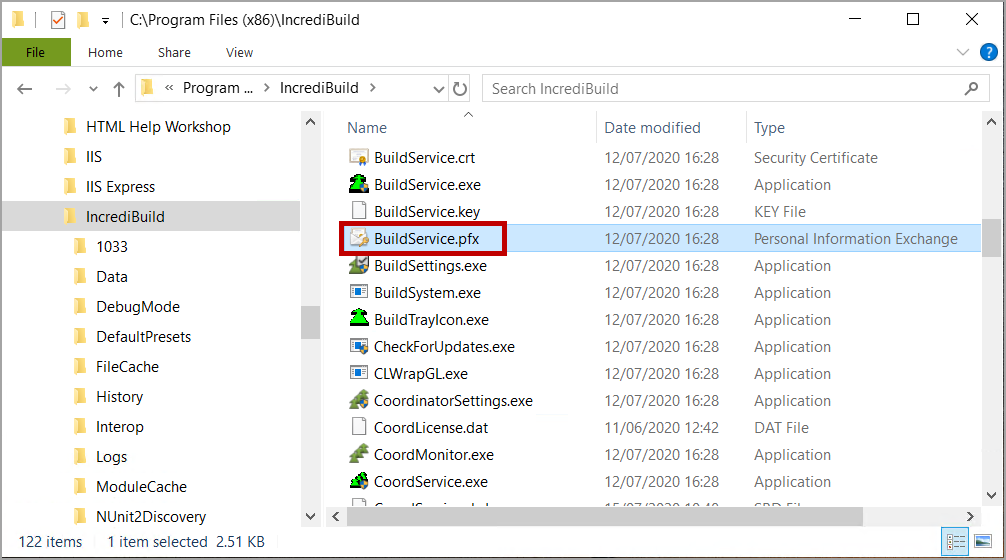
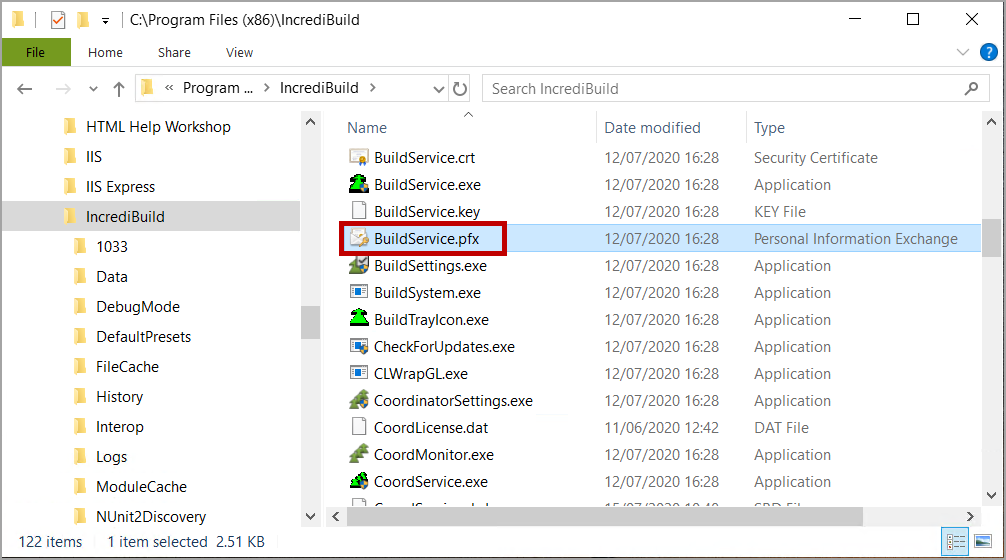
After you have enabled the use of the Build Group APIs in the Coordinator Settings dialog box, you need to import Incredibuild self-signed certificate to the Coordinator machine. Importing this certificate and trusting it, secures the REST APIs communication over HTTPS protocol. The Incredibuild self-signed certificate, BuildService.pfx, is located in the Incredibuild installation directory.
> To import the Incredibuild self-signed certificate:
-
On the Coordinator machine, in File Explorer, double-click on the BuildService.pfx file (located in install_dir\Incredibuild).
-
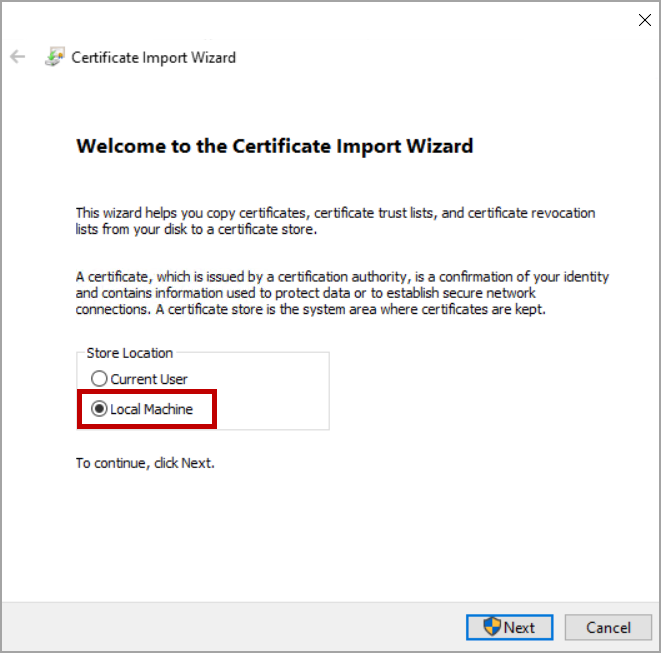
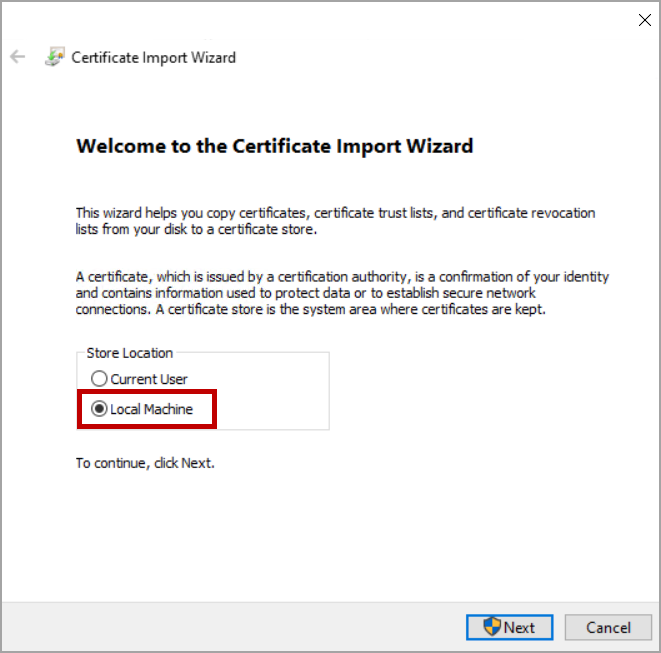
Select Local Machine, and then click Next:
-
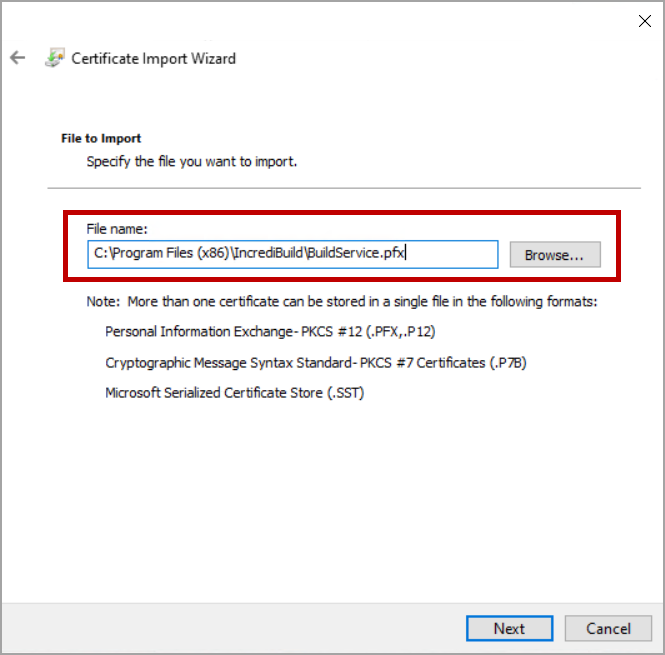
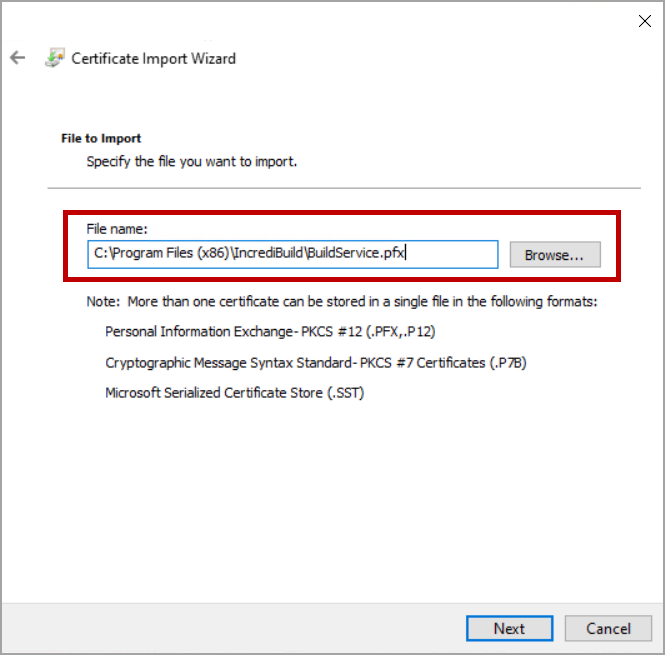
Verify that the BuildService.pfx file is selected, or use the Browse button to load it, and then click Next.
-
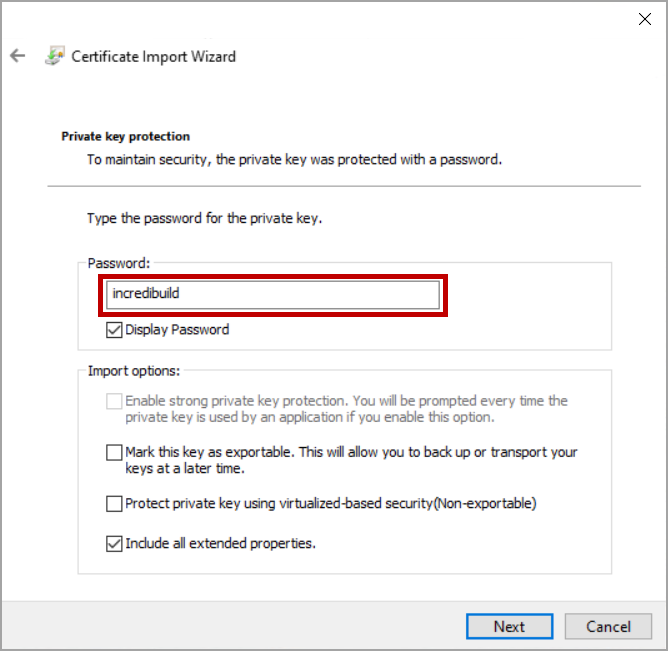
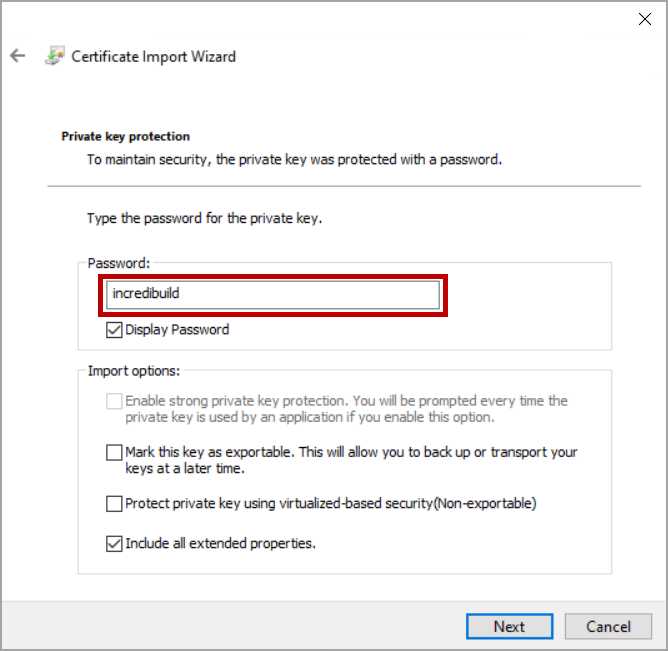
Enter Incredibuild in the Password field and then, click Next.
-
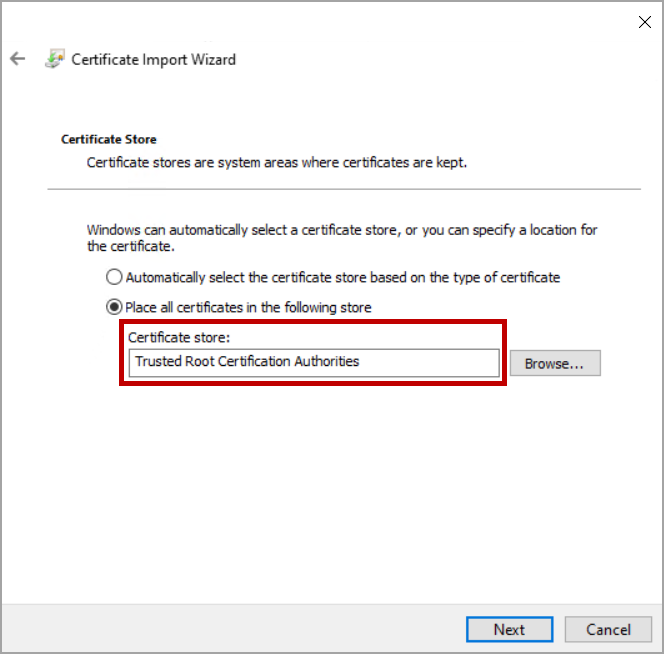
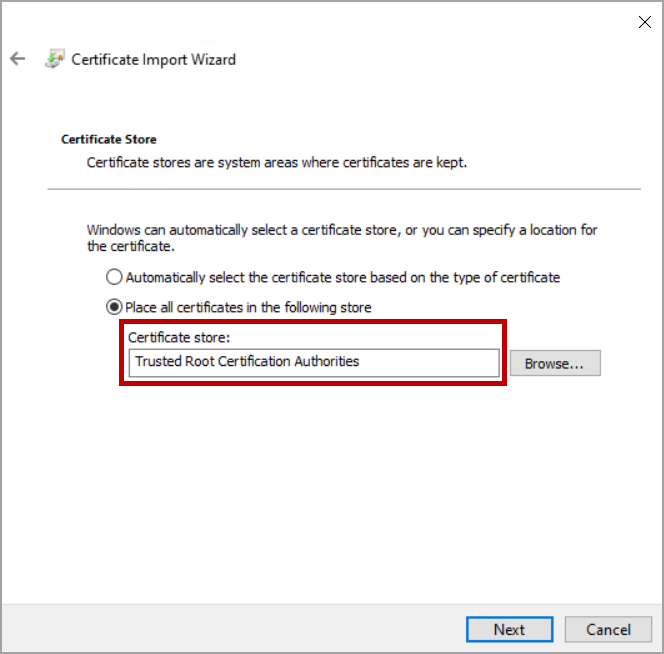
Select Place all certificates in the following store and then click Browse.

-
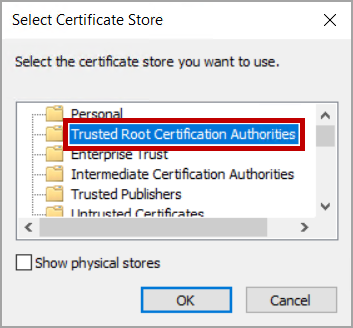
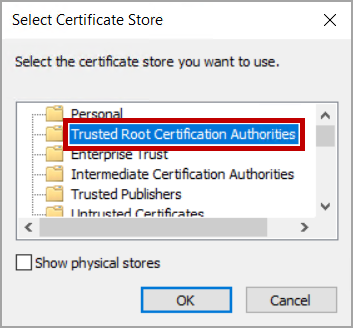
Select Trusted Root Certification Authoritiesand then clickOK.
-
Verify that the Trusted Root Certification Authorities is selected in the Certificate store field and then click Next.
-
Verify your settings, and then click Finish to import the certificate.



Once you have imported the Incredibuild self-signed certificate to your machine, the next step is to add this certificate to your API Client tool.