Installing the Coordinator on an Agent Machine
You can install the Coordinator on a machine that already has an Agent.
-
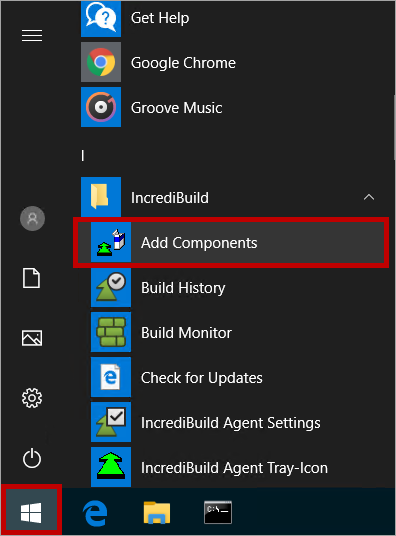
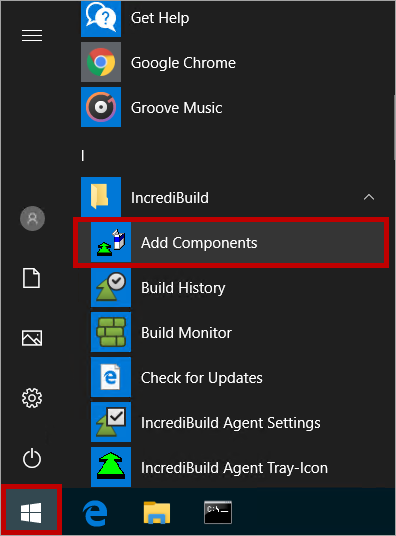
Open the Start menu > Incredibuild > Add Components:
-
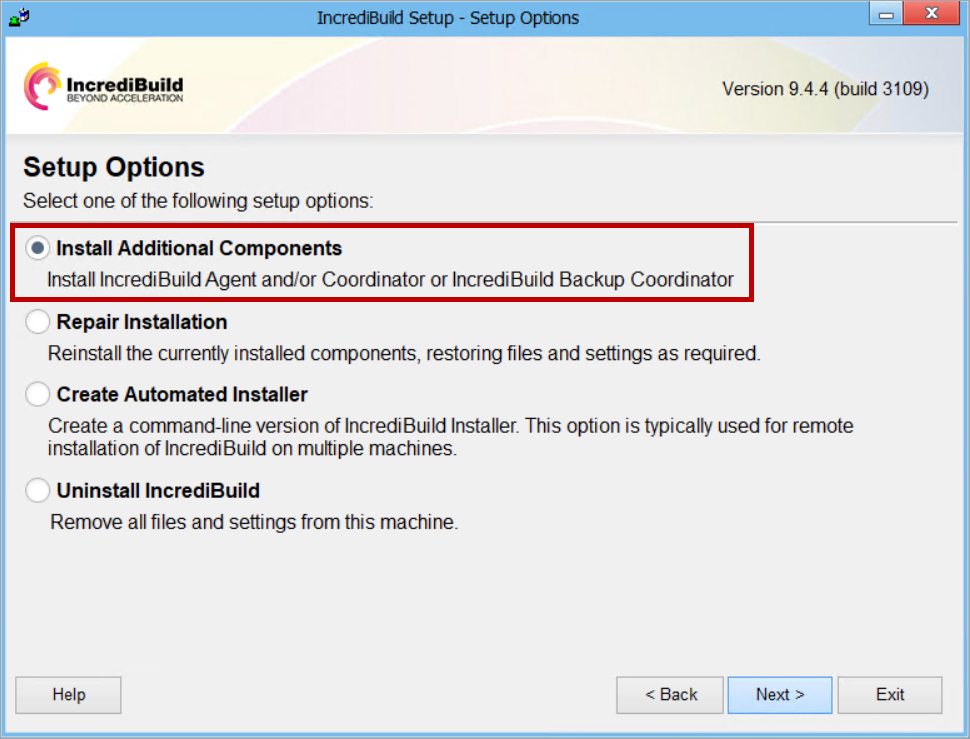
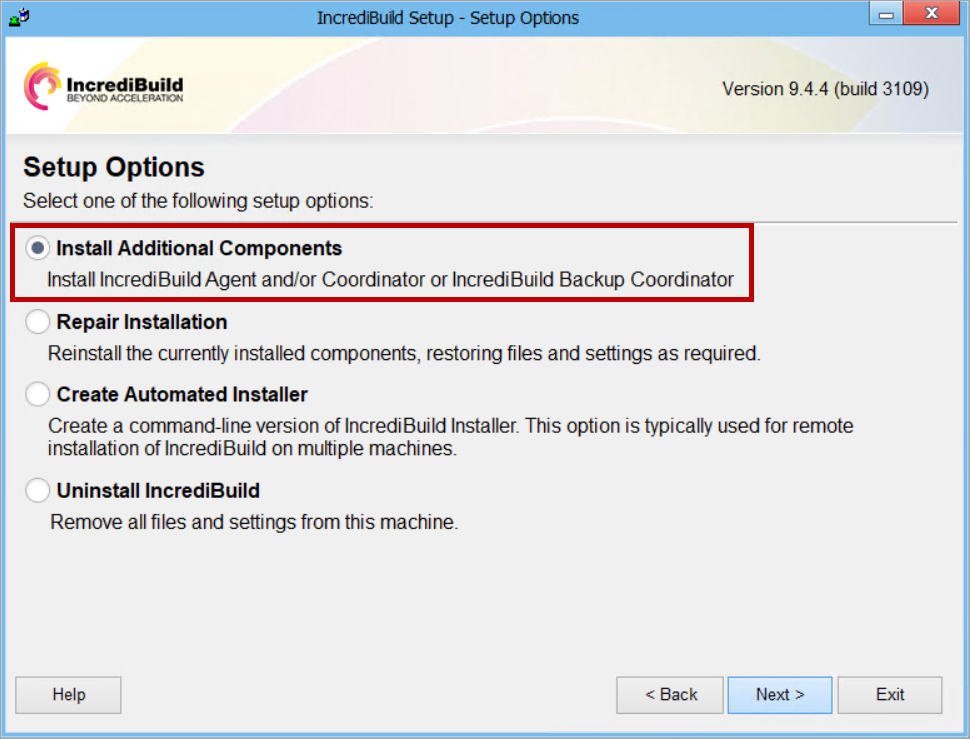
On the Setup Options page, select the Install Additional Components option, and click Next:
-
On the License Agreement page, accept the terms of the license agreement, and click Next.
-
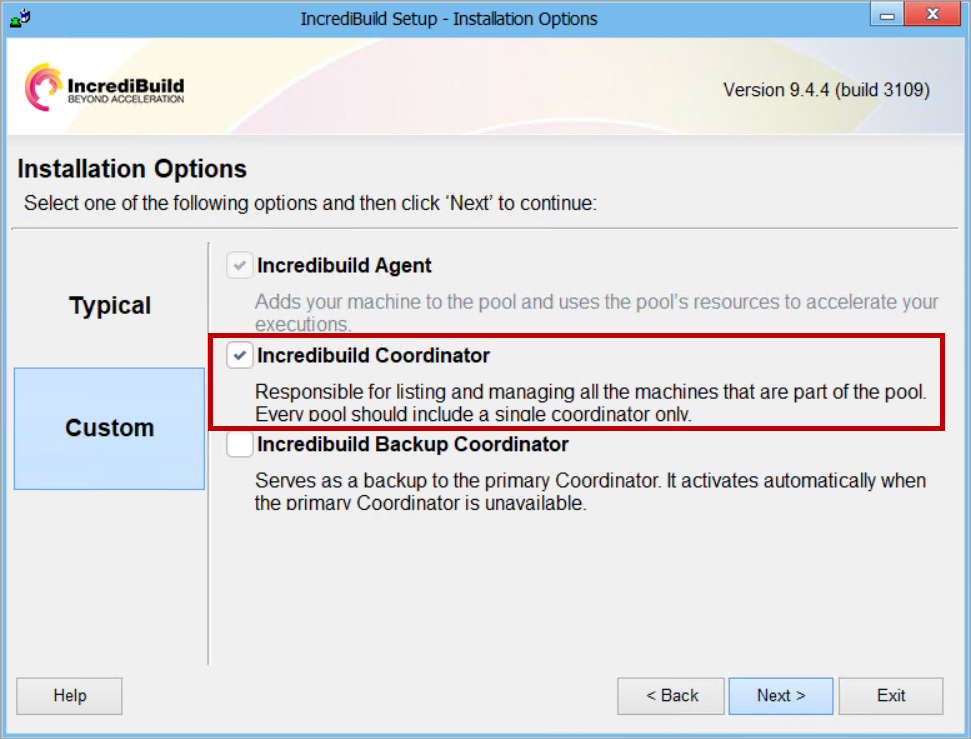
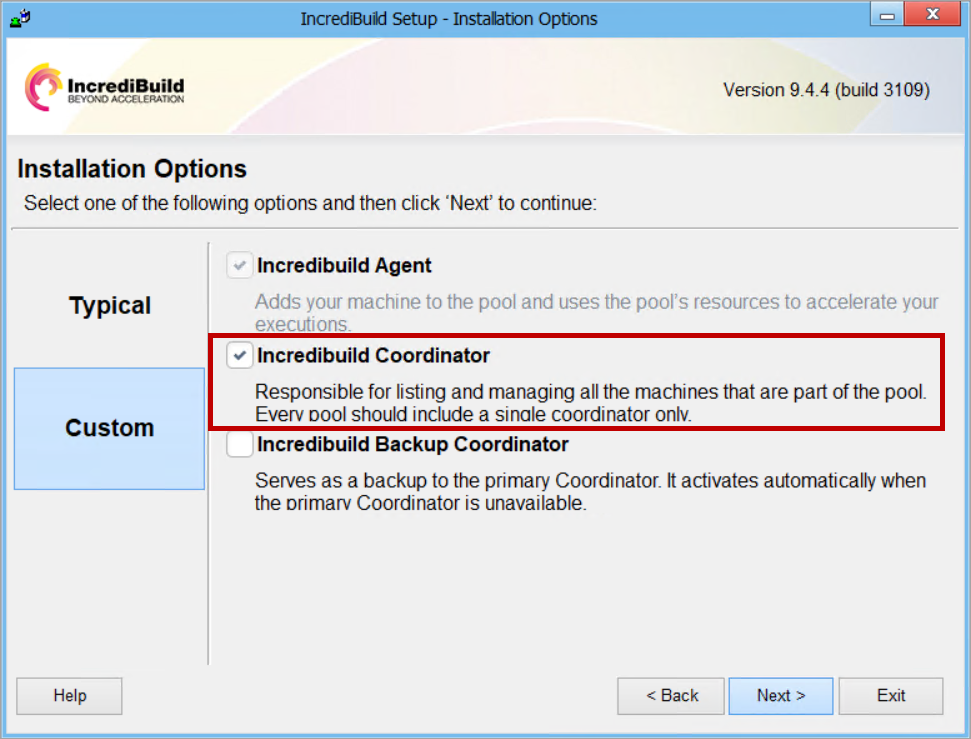
On the Installation Options page, select the Incredibuild Coordinator check box. Then, click Next:
-
Continue to follow the wizard instructions until completion.