Managing Build Groups
You can define an unlimited number of Build Groups.
>To create a Build Group:
-
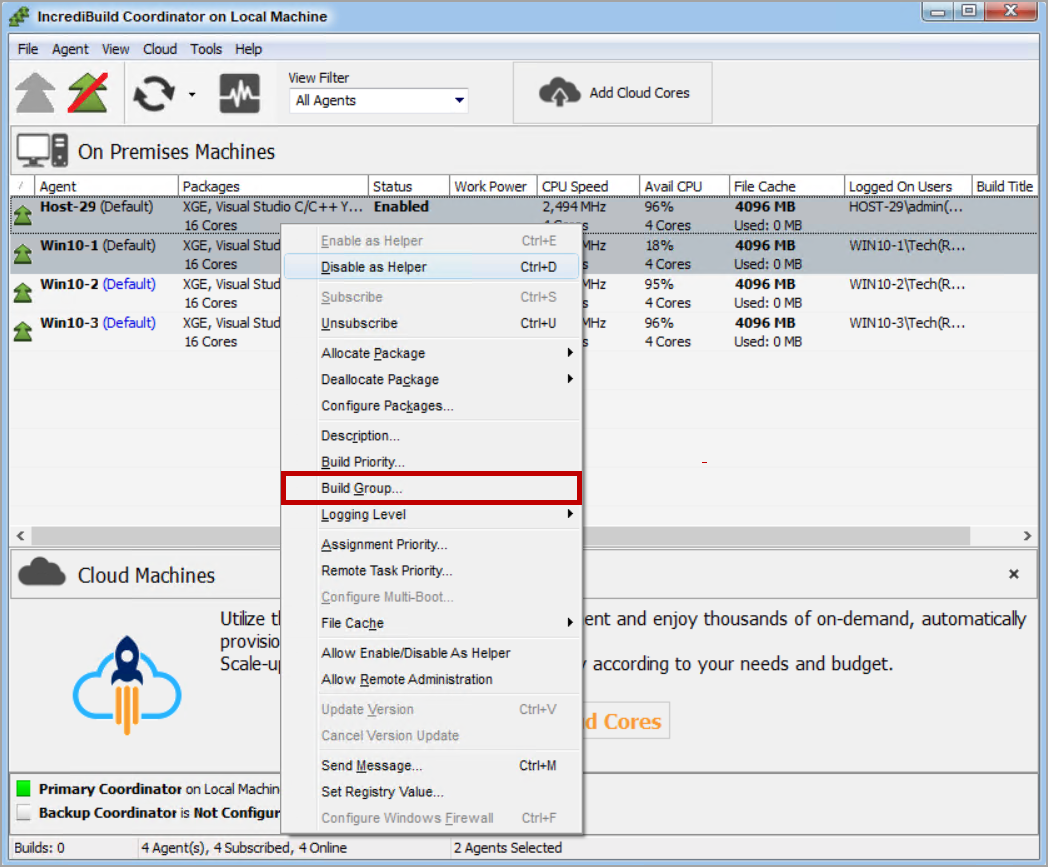
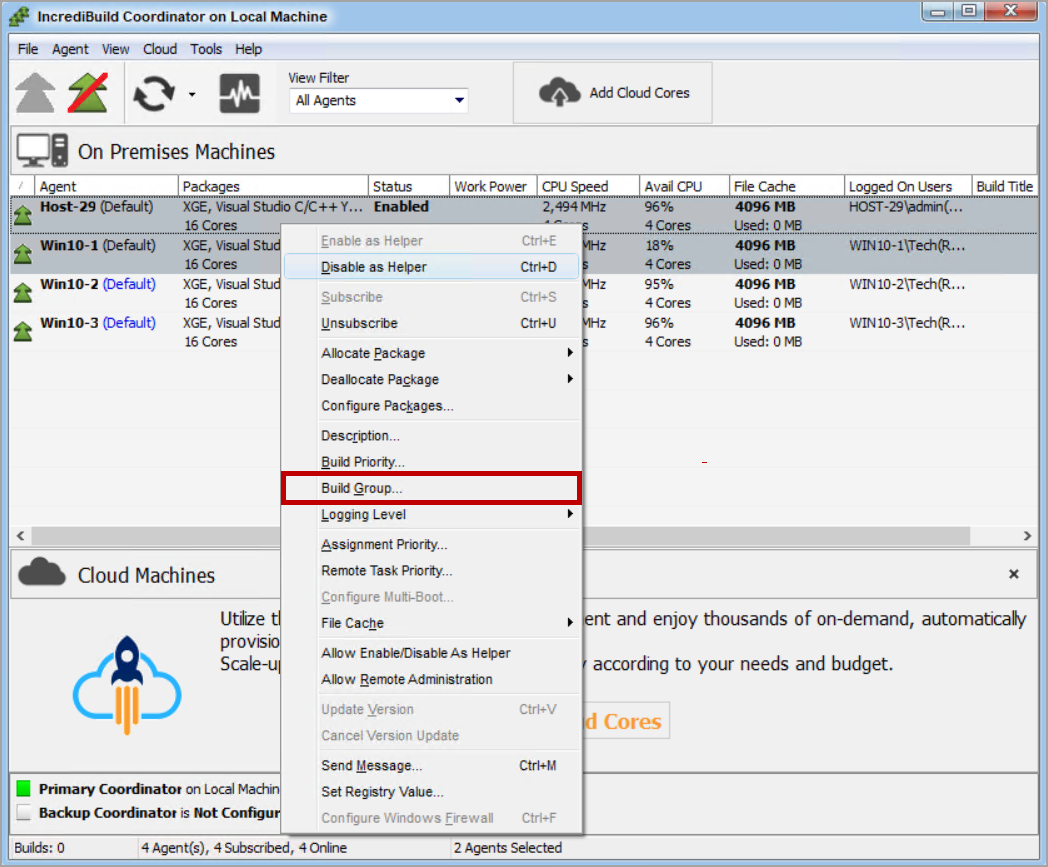
In the Coordinator Monitor, select Agent > Build Group… or right-click on an Agent and select Build Group….
-
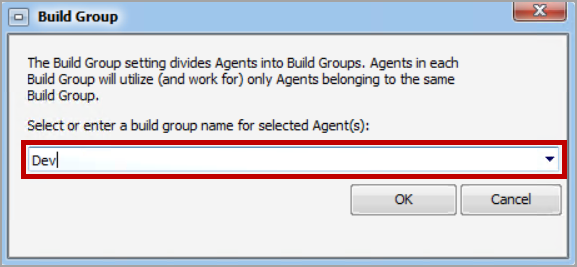
Enter a name for the new Build Group and then click OK.
>To assign Agents to a Build Group:
-
In the Coordinator Monitor, select one or more Agents, and then right-click on the Agents and select Build Group….
-
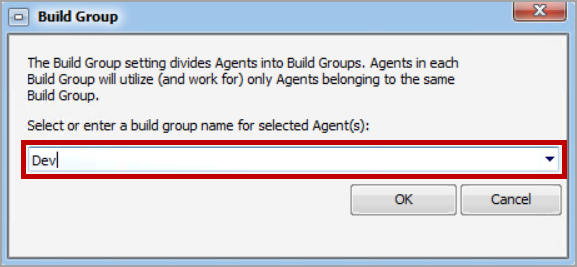
Select an existing Build Group or enter a new Build Group name (or selectDefaultto remove an Agent from a Build Group).
-
Click OK.
-
(Optional) If you are creating a new Build Group, a confirmation message appears. Click OK
-
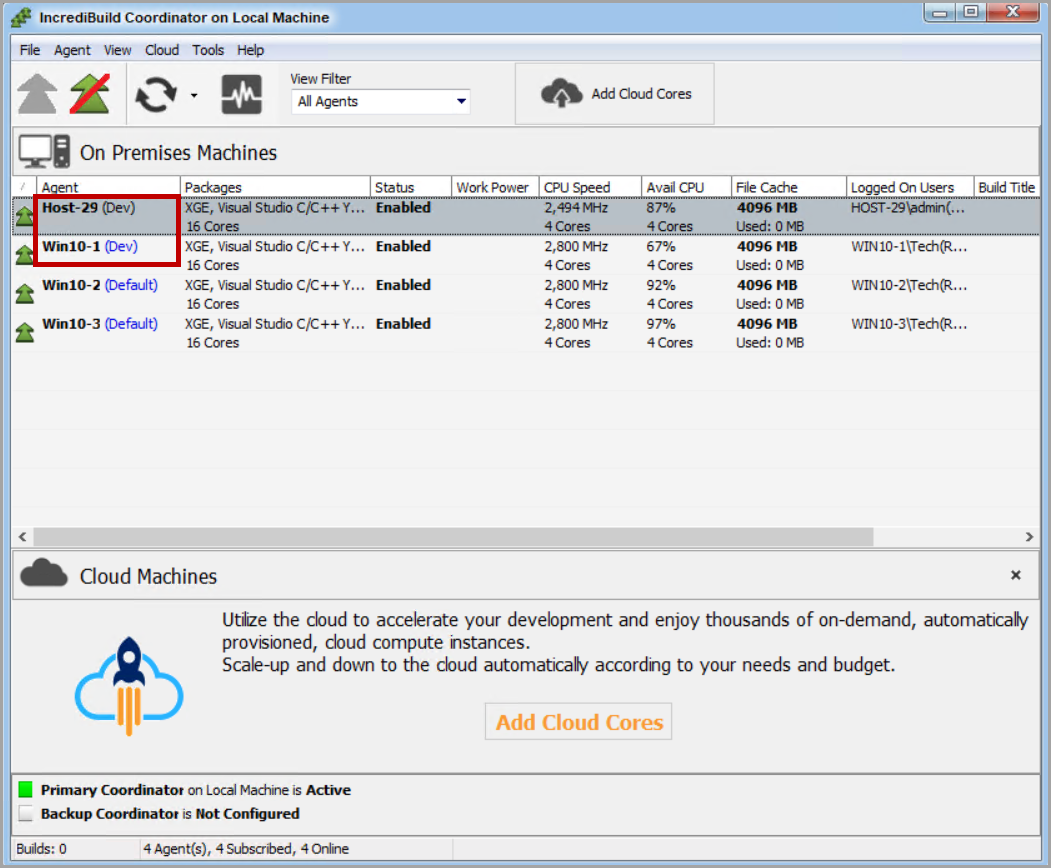
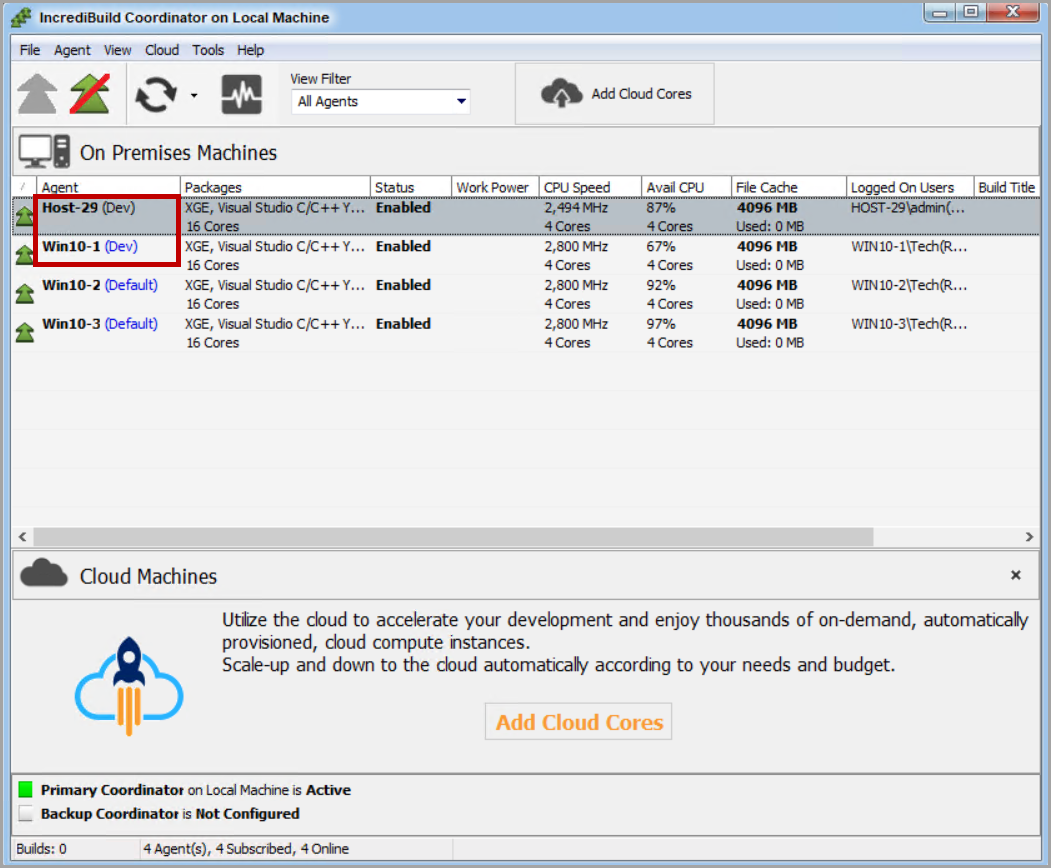
The selected Agents now belong to the specified Build Group, and only participate in builds that are initiated by the Initiator Agent of their Build Group.