> ## Documentation Index
> Fetch the complete documentation index at: https://docs.incredibuild.com/llms.txt
> Use this file to discover all available pages before exploring further.
# Running Builds from Visual Studio
Last updated on Dec 22, 2025
Note: When running Unreal Engine builds, do not use this drop-down menu.
1. Install the Incredibuild **[Visual Studio Add-in](/windows/10.34.1/visual-studio-add-in)**.
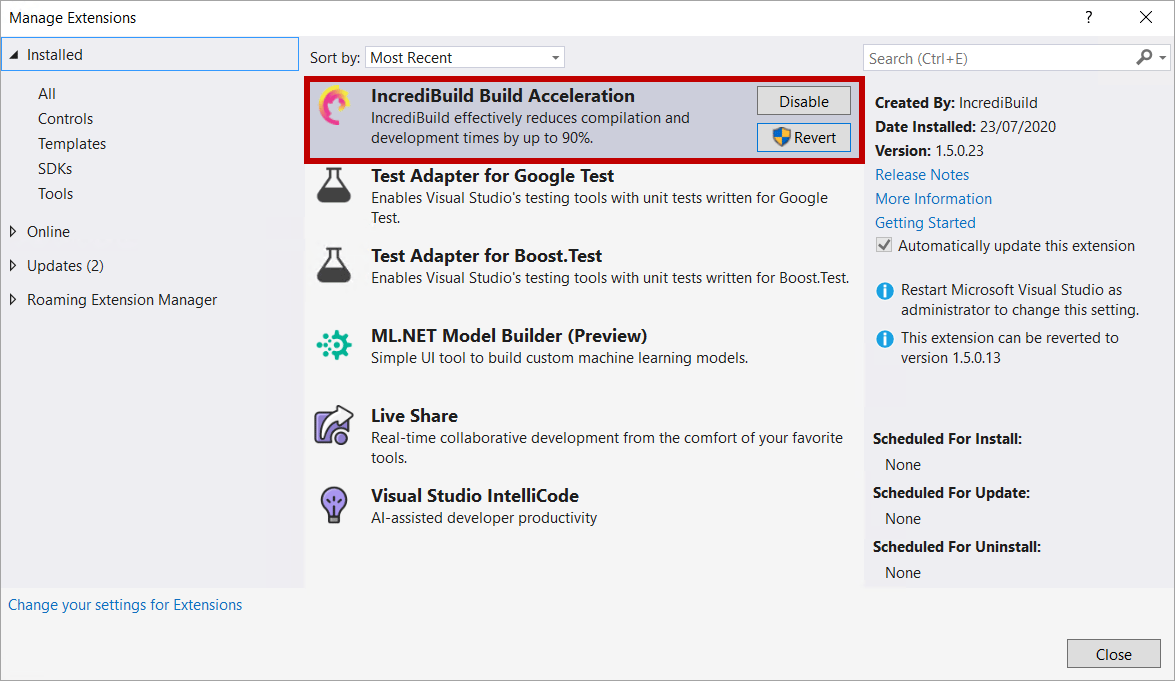 2. (Optional) Configure the [Incredibuild menu and keyboard shortcuts](/windows/10.34.1/customizing-incredibuild-build-options).
3. For SLN files/projects, select the [integration mode](/windows/10.34.1/using-visual-studio-integration-modes) between Incredibuild and Visual Studio to apply to your build.
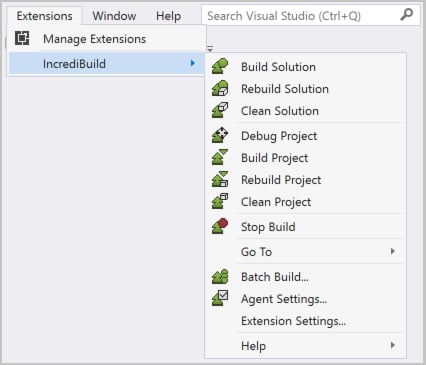
4. In Visual Studio 2019, select **Extensions** > **Incredibuild**> **Build** or **Rebuild**.
2. (Optional) Configure the [Incredibuild menu and keyboard shortcuts](/windows/10.34.1/customizing-incredibuild-build-options).
3. For SLN files/projects, select the [integration mode](/windows/10.34.1/using-visual-studio-integration-modes) between Incredibuild and Visual Studio to apply to your build.
4. In Visual Studio 2019, select **Extensions** > **Incredibuild**> **Build** or **Rebuild**.
 5. Run your build in one of the following ways:
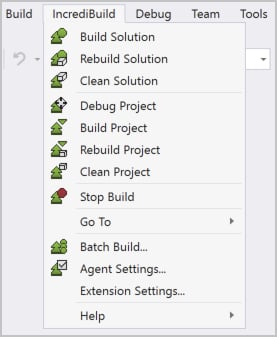
* In Visual Studio, select **Incredibuild**> **Build** or **Rebuild**.
5. Run your build in one of the following ways:
* In Visual Studio, select **Incredibuild**> **Build** or **Rebuild**.
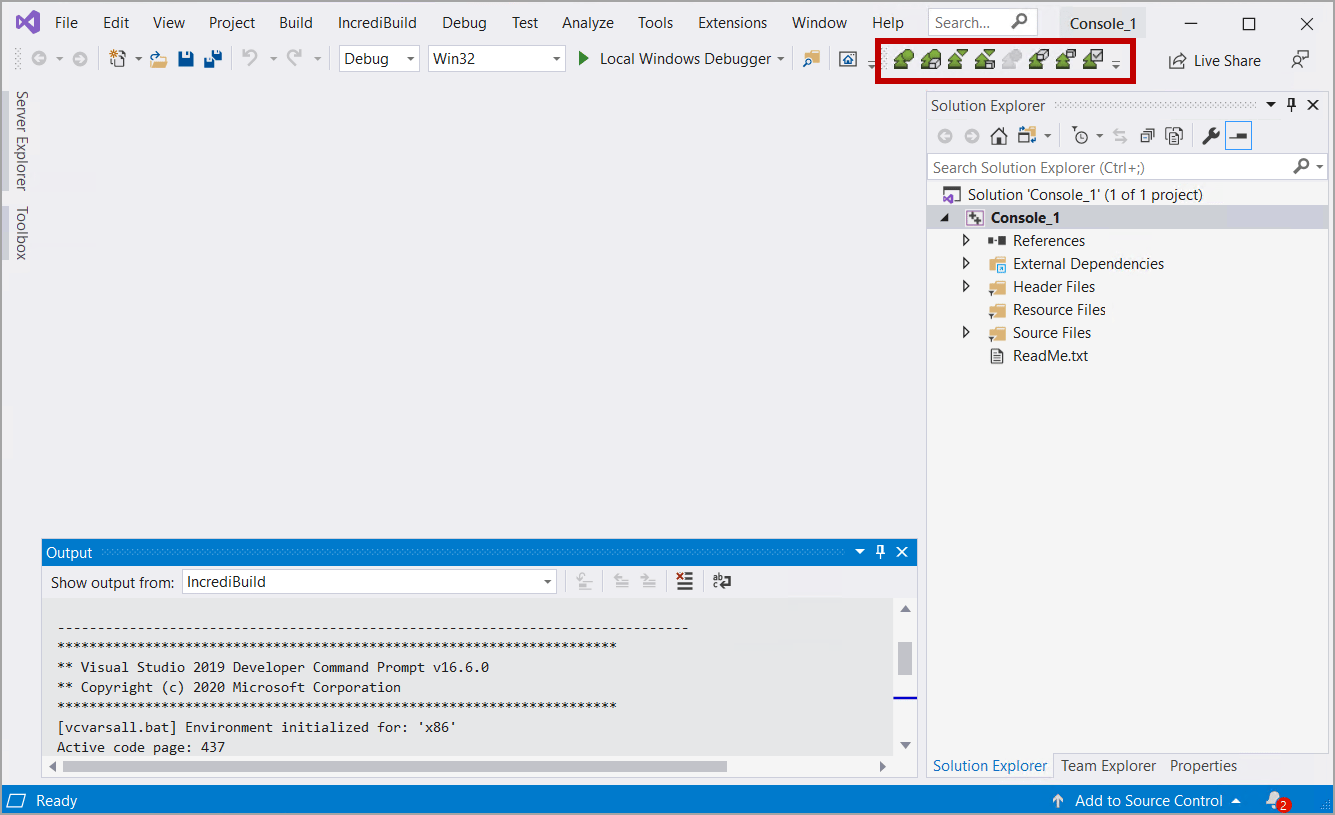
 * From the Incredibuild toolbar, select **Build** or **Rebuild**.
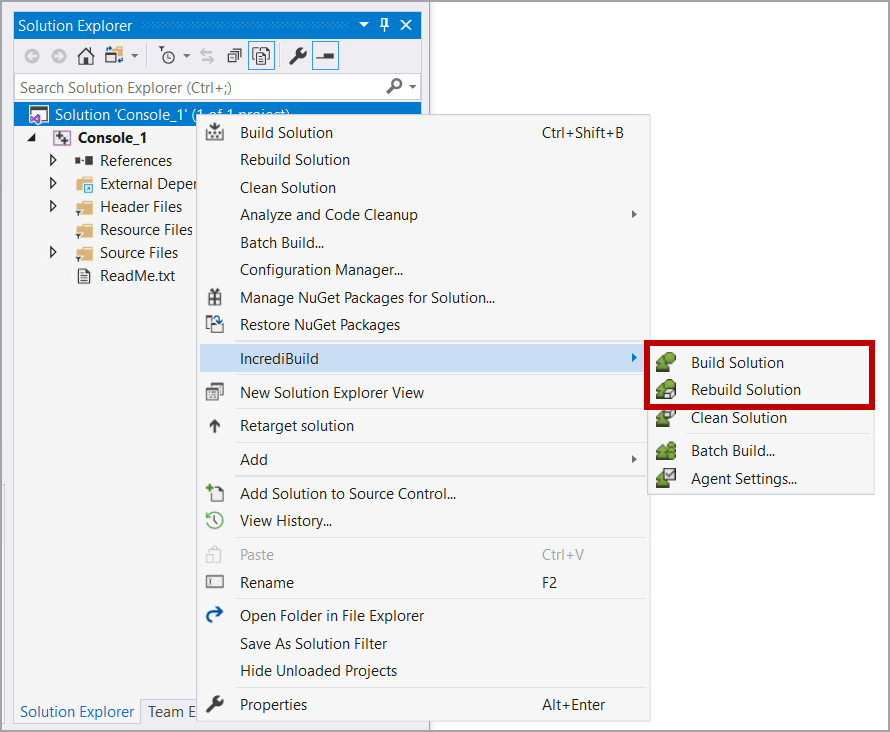
 * To build an SLN file/project, in the **Solution Explorer**, right-click the SLN solution/project and select **Incredibuild** > **Build** or **Rebuild**.
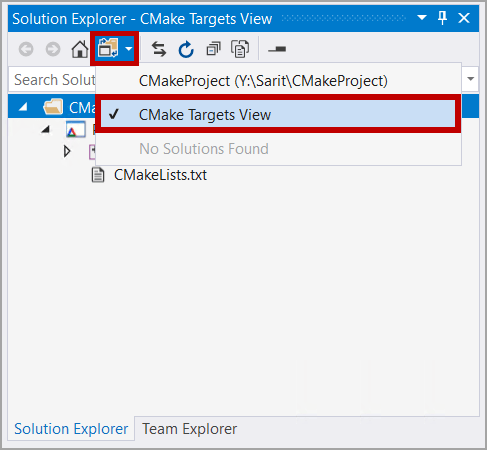
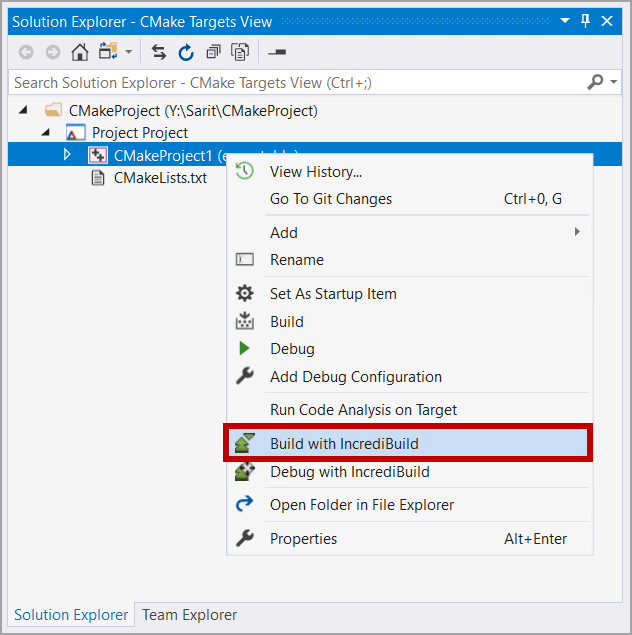
 * To build a CMake project, in the **Solution Explorer**, click the **Switch Views** button, select **CMake Targets View** and then right-click the solution/project and select **Build with Incredibuild**. CMake projects always run in the Internal mode, regardless of the selected Integration mode.
 * If configured, use the [Standard Visual Studio Commands](/windows/10.34.1/configuring-visual-studio-commands).
* Use the [Incredibuild BuildConsole Command Line Interface](/windows/10.34.1/build-console-cli).
* When working with Unreal Engine, the options above are not supported. You should run your builds using the Unreal Build Tools and Unreal Engine itself will automatically use Incredibuild.
6. Once the build starts running, [Incredibuild Build Monitor](/windows/10.34.1/monitor-builds) appears.
7. You can run builds on multiple solution/project configurations using [Batch Build](/windows/10.34.1/batch-build-configurations).
8. You can [distribute custom build steps, events, and tools, for execution on remote machines (sequentially or in parallel), even at the process level](/windows/10.34.1/accelerating-custom-build-steps) (from Visual Studio 2010 and later).
9. You can further improve performance by [fine-tuning aspects of either Incredibuild's configuration or the project's settings](/windows/10.34.1/build-performance-optimizations).
* If configured, use the [Standard Visual Studio Commands](/windows/10.34.1/configuring-visual-studio-commands).
* Use the [Incredibuild BuildConsole Command Line Interface](/windows/10.34.1/build-console-cli).
* When working with Unreal Engine, the options above are not supported. You should run your builds using the Unreal Build Tools and Unreal Engine itself will automatically use Incredibuild.
6. Once the build starts running, [Incredibuild Build Monitor](/windows/10.34.1/monitor-builds) appears.
7. You can run builds on multiple solution/project configurations using [Batch Build](/windows/10.34.1/batch-build-configurations).
8. You can [distribute custom build steps, events, and tools, for execution on remote machines (sequentially or in parallel), even at the process level](/windows/10.34.1/accelerating-custom-build-steps) (from Visual Studio 2010 and later).
9. You can further improve performance by [fine-tuning aspects of either Incredibuild's configuration or the project's settings](/windows/10.34.1/build-performance-optimizations).