> ## Documentation Index
> Fetch the complete documentation index at: https://docs.incredibuild.com/llms.txt
> Use this file to discover all available pages before exploring further.
# Executing Your Build Using Visual Studio
Executing a build from within Visual Studio is done by two clicks.
Depending on the Visual Studio version you have, either use the **Incredibuild** main menu, or the **Extensions** menu > **Incredibuild** sub-menu.
**Note**: Incredibuild Extension for Visual Studio is installed automatically during Incredibuild installation, if you have Visual Studio on your machine during the installation.
**To execute a build using Visual Studio IDE Extension:**
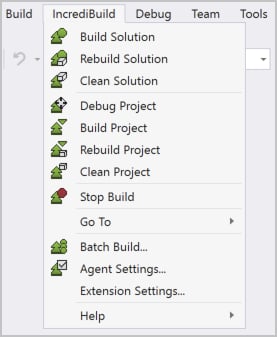
* **From Visual Studio 2017**:Open the **Incredibuild** menu, and click either the **Build** or **Rebuild** options:
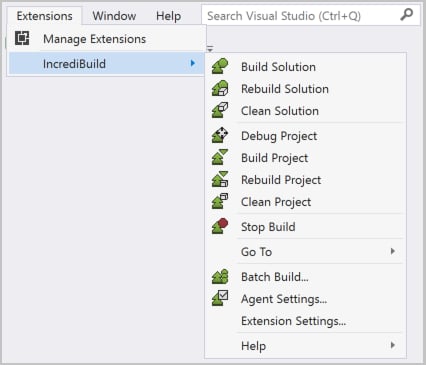
 * **From Visual Studio 2019**:Open the **Extensions** menu > **Incredibuild** sub-menu, and click either the **Build** or **Rebuild** options:
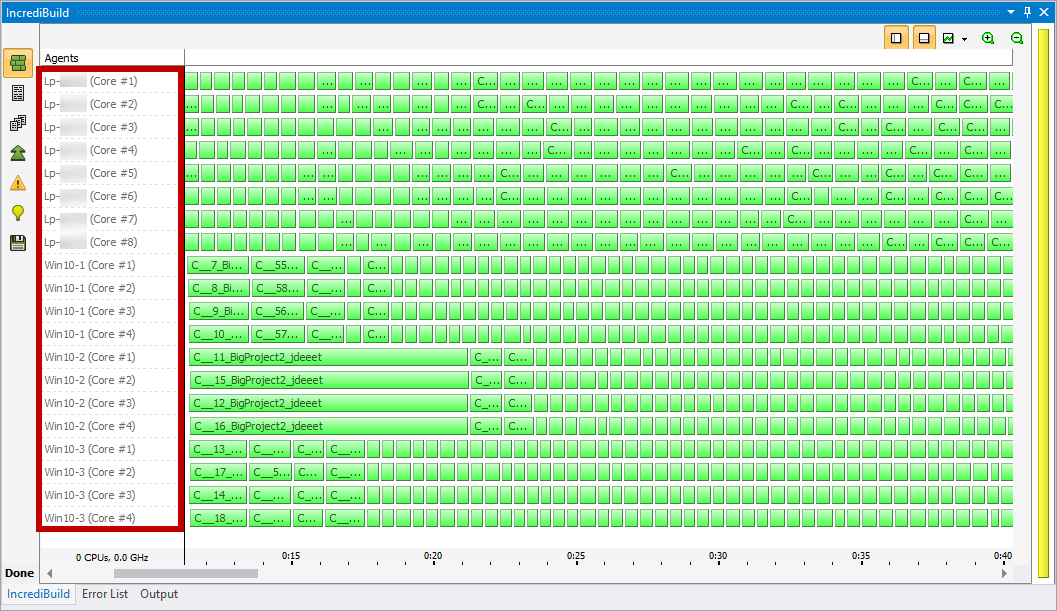
 Your build starts to be executed by Incredibuild, and its processes are distributed across the machines in your network that host Incredibuild Agents. This distribution is displayed in the Build Monitor, which appears once the build starts to run: