> ## Documentation Index
> Fetch the complete documentation index at: https://docs.incredibuild.com/llms.txt
> Use this file to discover all available pages before exploring further.
# Configuring Incredibuild Visual Studio Commands
Last updated on Dec 22, 2025
**Note:** This feature is available only for Visual Studio 2017 and later.
You can configure Visual Studio to automatically activate Incredibuild commands via the standard Visual Studio commands. This means that if you click a command in Visual Studio, the equivalent Incredibuild command is activated. For example, if you click **Build Solution** in the Visual Studio **Build** menu, the solution is built using Incredibuild.
For SLN files/projects this can be configured for a specific solution or for all solutions.
1. Access the settings:
* In Visual Studio, go to **Tools** > **Options**.
* In Visual Studio 2017, select **IncrediBuild** > **Extension Settings**.
* In Visual Studio 2019 and 2022, select **Extensions** > **Incredibuild** > **Extension Settings**.
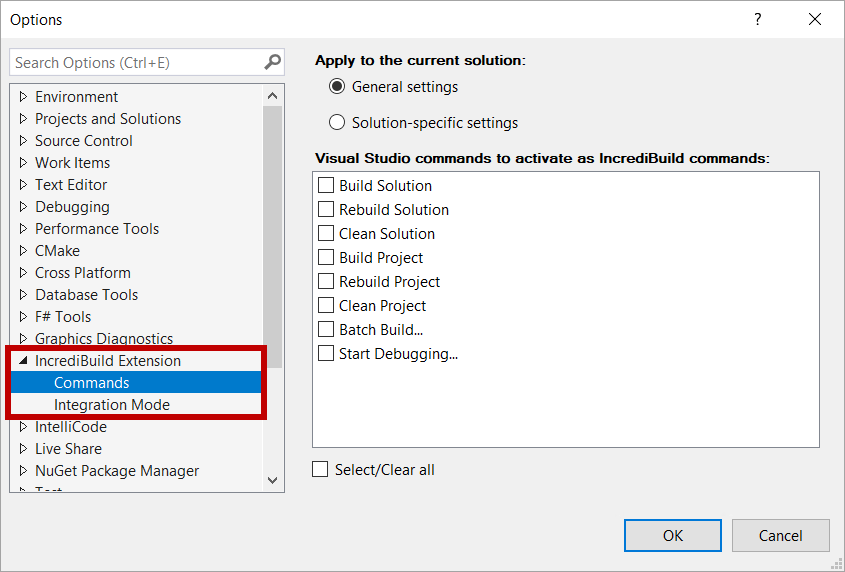
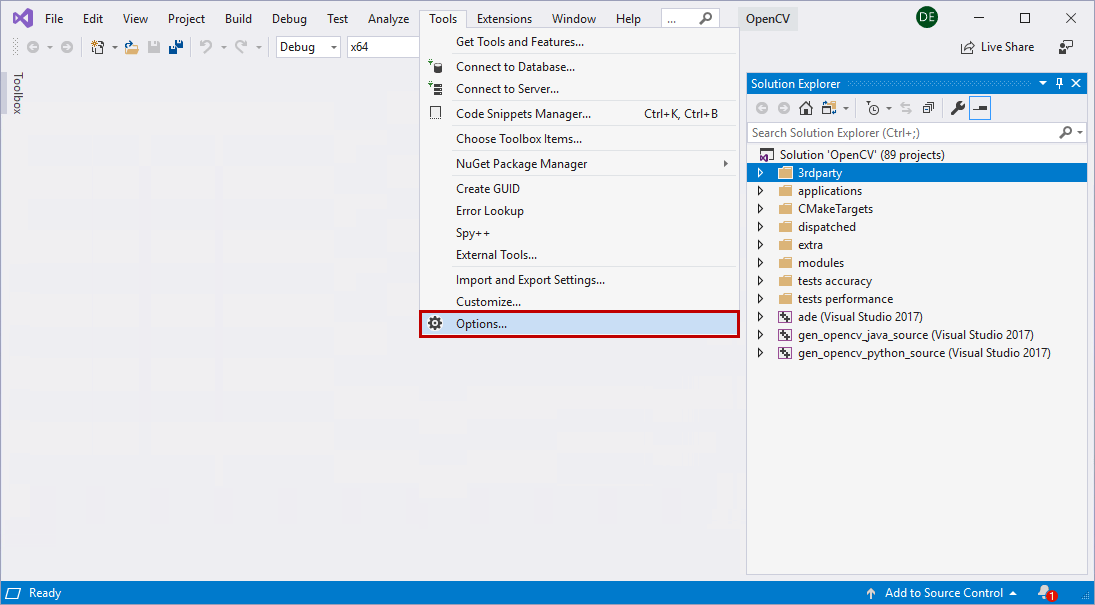 2. Select **Incredibuild Extension** > **Commands**.
For SLN files:
2. Select **Incredibuild Extension** > **Commands**.
For SLN files:
 For CMake projects:
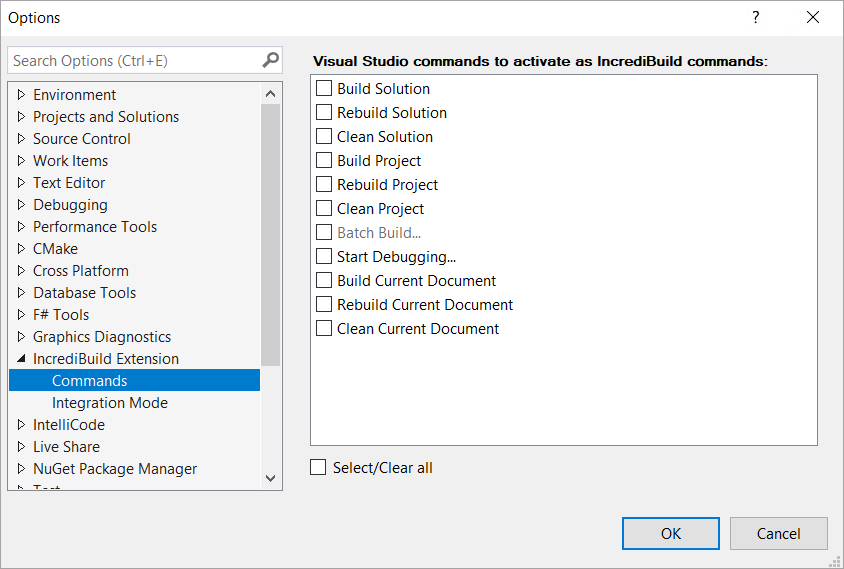 3. For SLN files, select **General settings** to assign the commands for all solutions, or select **Solution-specific settings** to assign the commands for the open solution. For CMake projects the commands are assigned for all solutions.
4. Select the **Visual Studio commands to activate as IncrediBuild commands**.
3. For SLN files, select **General settings** to assign the commands for all solutions, or select **Solution-specific settings** to assign the commands for the open solution. For CMake projects the commands are assigned for all solutions.
4. Select the **Visual Studio commands to activate as IncrediBuild commands**.
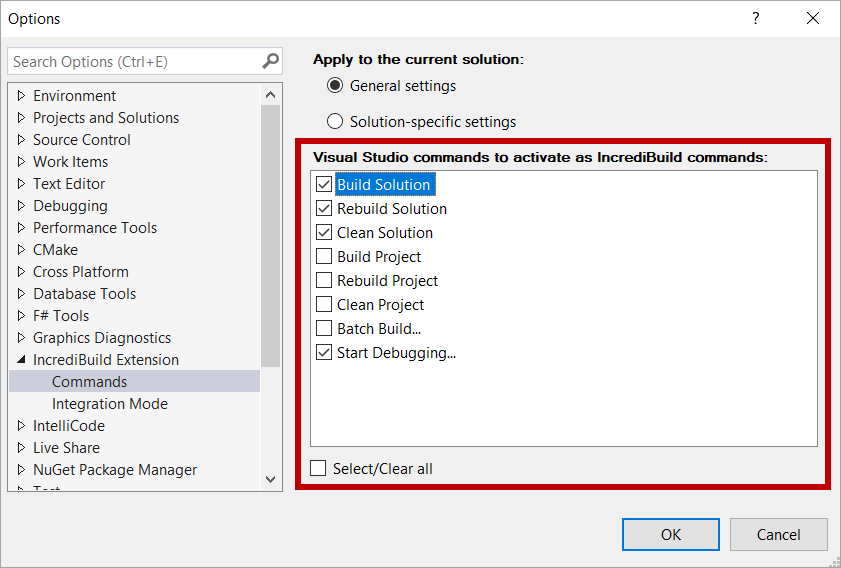 5. Click **OK**.