

Automatically Subscribe New Agents
By default, all Agents are automatically subscribed when they are installed. However, you can change the default using the checkbox in the Coordinator Monitor > Coordinator Settings > General tab.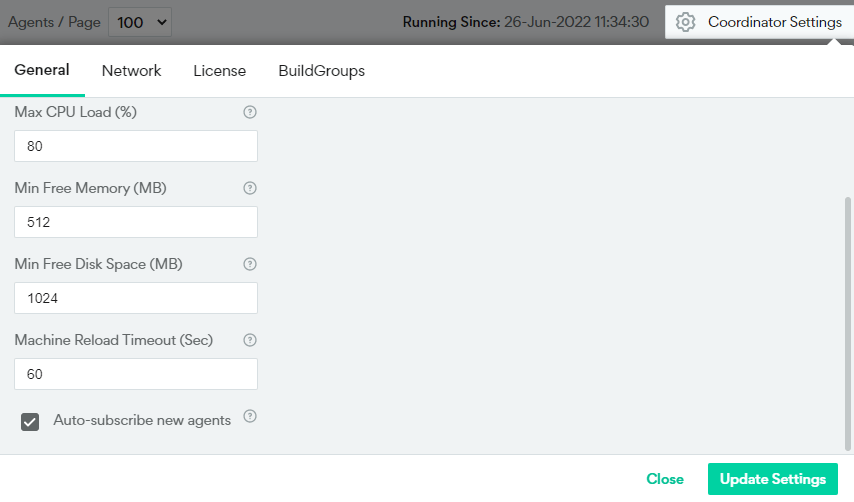
Manually Subscribe or Unsubscribe Agents
You can manually subscribe or unsubscribe Agents from the Coordinator Monitor using the Action column. Click the three dots to view the options: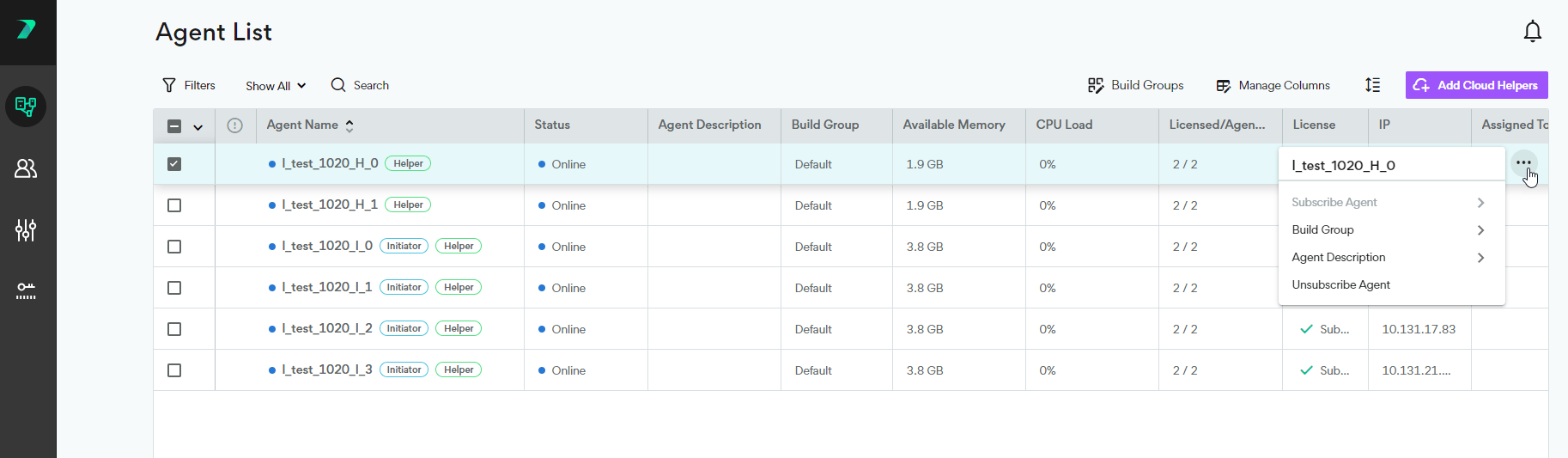
View Subscription Status in Command Line
If you are working in the command line, you can see whether an Agent is subscribed by using the--check-license flag. For more details, see Executing Linux Builds.
https://docs.incredibuild.com/Default.htm
https://docs.incredibuild.com/lin/latest/Default.htm
https://docs.incredibuild.com/win/latest/Default.htm
https://docs.incredibuild.com/cloud/Default.htm
rLinuxhttps://www.incredibuild.com/4.18