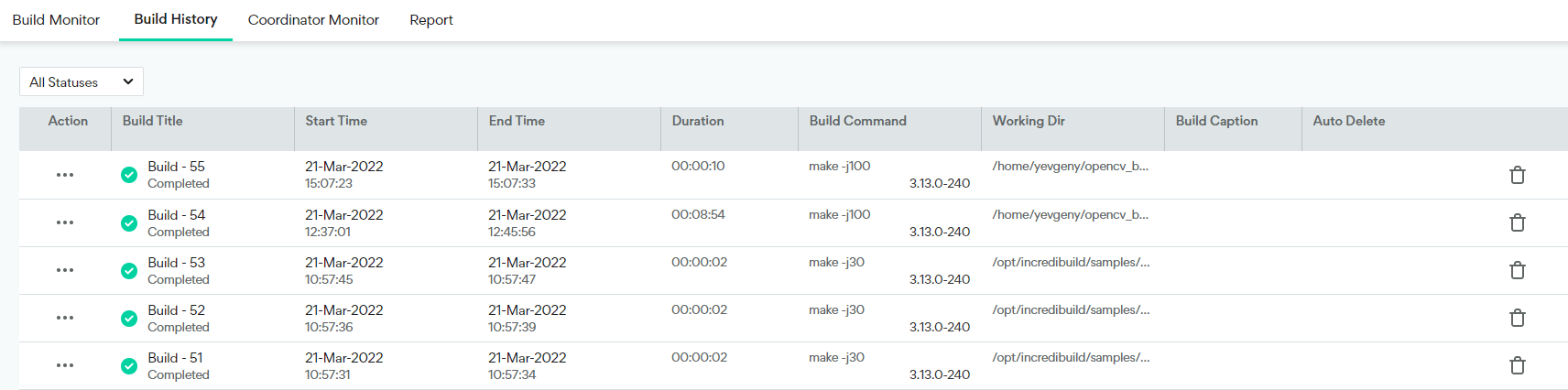
| Action→ Open | Opens the Build Monitor tab, displaying the progress of a currently running build and enables playback of a previously finished build. | |
| Action→ History | Provide users with the ability to delete a build from the Build History or mark a specific build not to be deleted by the auto-deletion mechanism. | |
| Action → Export Logs | Saves the information on the specific build from the general build history database to a db file | |
| Build Name | Name of the build.
This name is auto-generated. | Icon by the build name represents the build’s status: Pending, Running.., Completed, Aborted, Error or Warning |
| Start Time | The time in which the build has started | |
| End Time | The time in which the build has ended | |
| Duration | The overall time for the completion of the build | |
| Build Command | The command that was used by ib_console to run this build | |
| Working Dir | The working directory from which the build was executed | |
| Build Caption | Caption of the build, as it was defined by the -c option of ib_console | |
| Auto Delete | Should the current record in the build history be deleted by the auto-deletion mechanism. | The Action field allows users to toggle auto-delete on\ off for this build. |