

Enable SSL
Go to the Coordinator Monitor > Settings > General tab and click Enable SSL: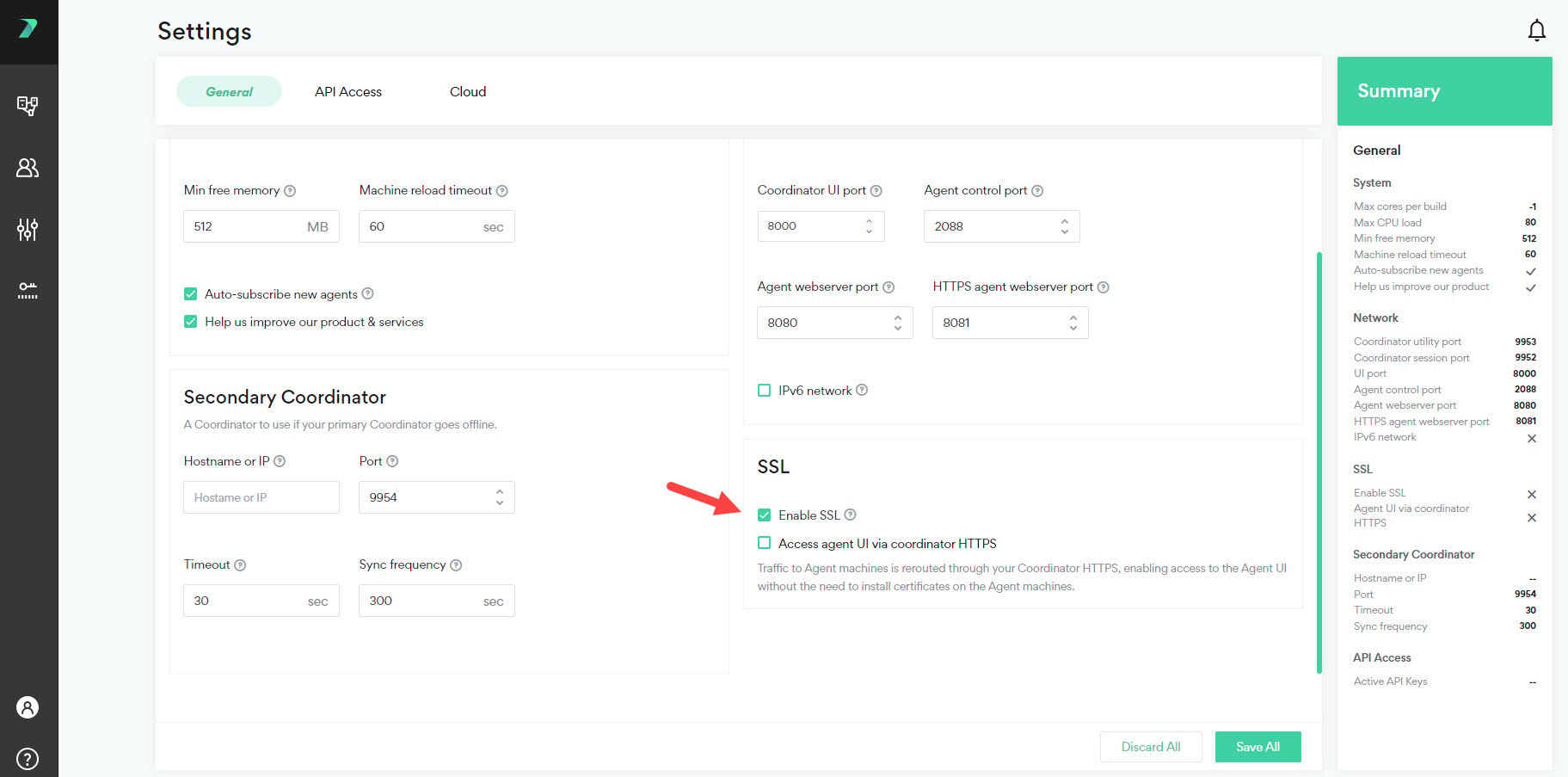
Accessing the Agent UI through the Coordinator HTTPS
You can reroute traffic to Agent machines through your Coordinator HTTPS. This enables access to the Agent user interfaces without needing to install certificates on the Agent machines. Go to the Coordinator Monitor > Settings > General tab and click Access Agent UI via Coordinator HTTPS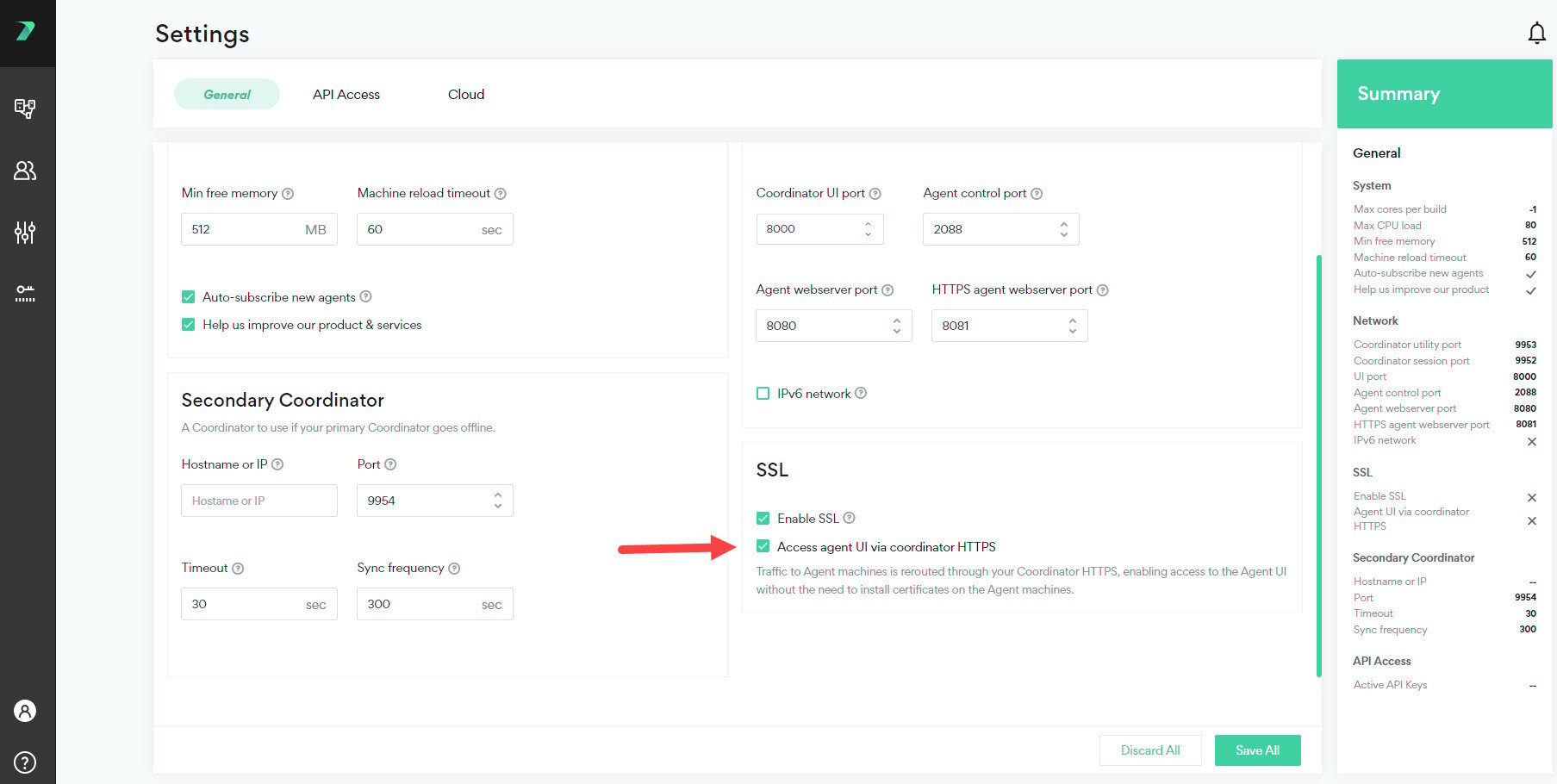
Using a Custom SSL Certificate
By default, Incredibuild’s self-signed certificate is used for authentication. You can use a custom certificate by manually uploading it:-
Run the script to install certificates.
- Where <cert> can be a single server certificate, or the full certificate chain.
- The certificates and keys can be PEM or DER formats, and the key cannot be password protected.
- If you are using the full certificate chain, it must be in either PKCS7 format (.p7b files in both PEM and DER formats) or a list of concatenated pem certificates.
- Run this script on every machine that you want to use this certificate.
-
Make sure that all machines in your environment trust the certificates you just added.
- If your certificate only includes a single server certificate, clients in your environment must contain the root CA and intermediate CAs in their trusted certificate store.
- If your certificate includes the full certificate chain, clients in your environment must contain the root CA in their trusted certificate store.