

Accessing the Build Monitor Tab
- In the Incredibuild Console, click the Build History tab. The Build History screen displays a list of current and previous builds.
-
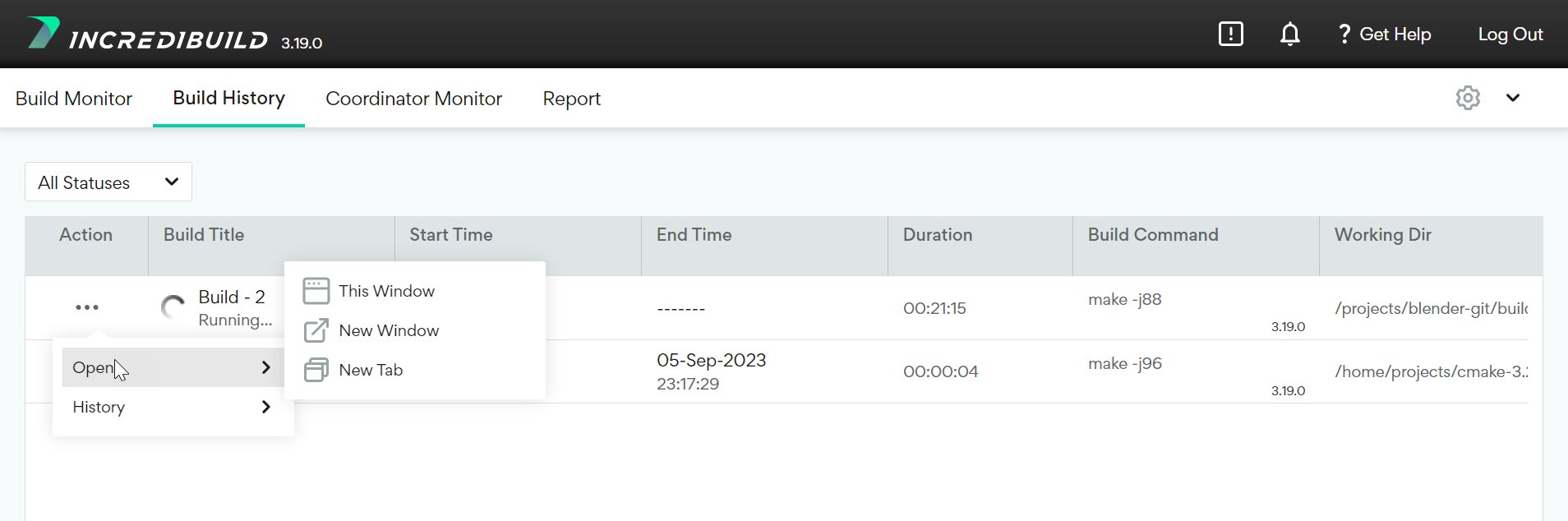
Click the Action (icon) on the build that you wish to view.
-
Select Open and then select one of the following options:
- This Window – opens the Build Monitor tab in the current window.
- New Window - opens the Build Monitor tab in a new browser window.
- New Tab - opens the Build Monitor tab in a new browser tab.
-
In the Build Monitor tab, select one of the following views by clicking the relevant tab:
- Graphical View - Build Monitor visualization and System Graphs.
- Textual View - A textual output of the build process.
- Summary - A summary of the build process.