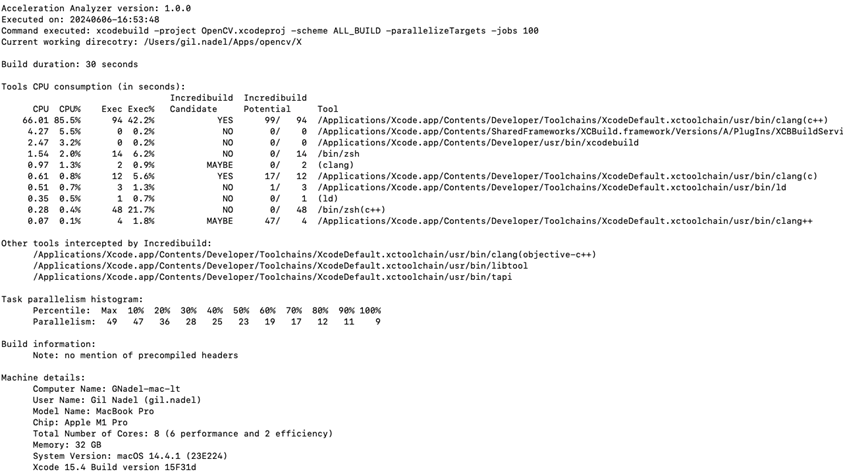
- Identify which tools are involved in the build (C++ compiler, code signing, etc.) and which ones consume the most time
- Identify whether your Xcode project can be accelerated by Incredibuild, and which tools will be accelerated
- Identify the inherent parallelism of your build
Running the Acceleration Analyzer
Using the Acceleration Analyzer is simple:- Download the script.
-
Unzip the downloaded file:
-
Run your xcodebuild command with your standard options, adding
. ~/Downloads/MAC/ib_acceleration_analyzerin the beginning (see example section below). If your project does not use the Xcode build system, e.g. it uses Make or Ninja, and you generate your project files using CMake, add the options-DCMAKE_CXX_COMPILER=/usr/bin/c++ -DCMAKE_C_COMPILER=/usr/bin/ccto your cmake command. - When the build ends, the script will analyze the results (this can take some time) and present the report
Example
This example builds a sample code of OpenCV, using the Acceleration Analyzer: