

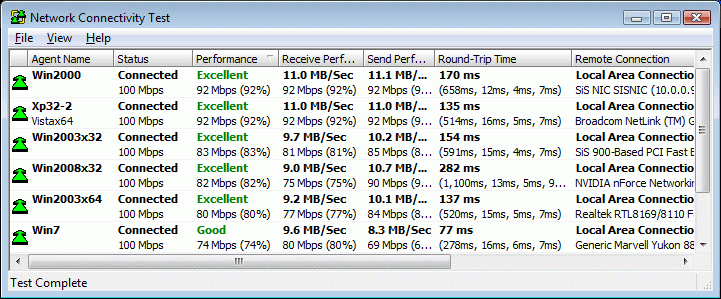
Working with the Results of the Network Connectivity Test
Once the test is completed, check for any Agents marked as “Poor” in the Performance column. If such Agents appear, consider the following:- Check their machine’s hardware for outdated network cards which may need replacement.
- Examine these machines’ network configurations for any differences from machines rated “Good” or “Excellent”.
- Disabling these Agents permanently may have a positive effect on the build performance. The disabled Agent will still be able to run distributed builds, but will not be included in builds initiated by other machines. To keep the “Disabled” state between system reboots, use the Agent Settings dialog box -> Agent->Preferencespage.