

General Tab
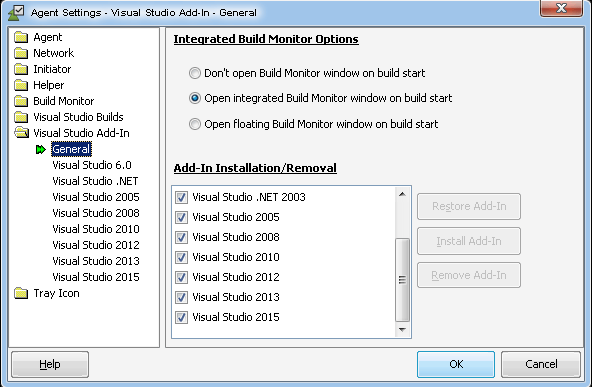
Add-In Installation/Removal
Sometimes, due to installation issues, it is necessary to refresh Visual Studio integration and restore the Incredibuild IDE menu and toolbar. For example, if the Coordinator does a push to upgrade when Visual Studio is open on that machine, Incredibuild is not able to install the plug-in, meaning that the next time that Visual Studio is opened, Incredibuild may not appear in the menu. From this section, you can restore, remove, or install the Incredibuild add-in (including the IDE menu and toolbar) into any of the Visual Studio versions installed on your machine. To restore the Incredibuild add-in:- Select the checkboxes of the Visual Studio versions in which you want to restore the add-in, and then click the Restore Add-In button.
- Select the checkboxes of the Visual Studio versions in which you want to install the add-in, and then click the Install Add-In button.
- Select the checkboxes of the Visual Studio versions from which you want to remove the add-in, and then click the Remove Add-In button.
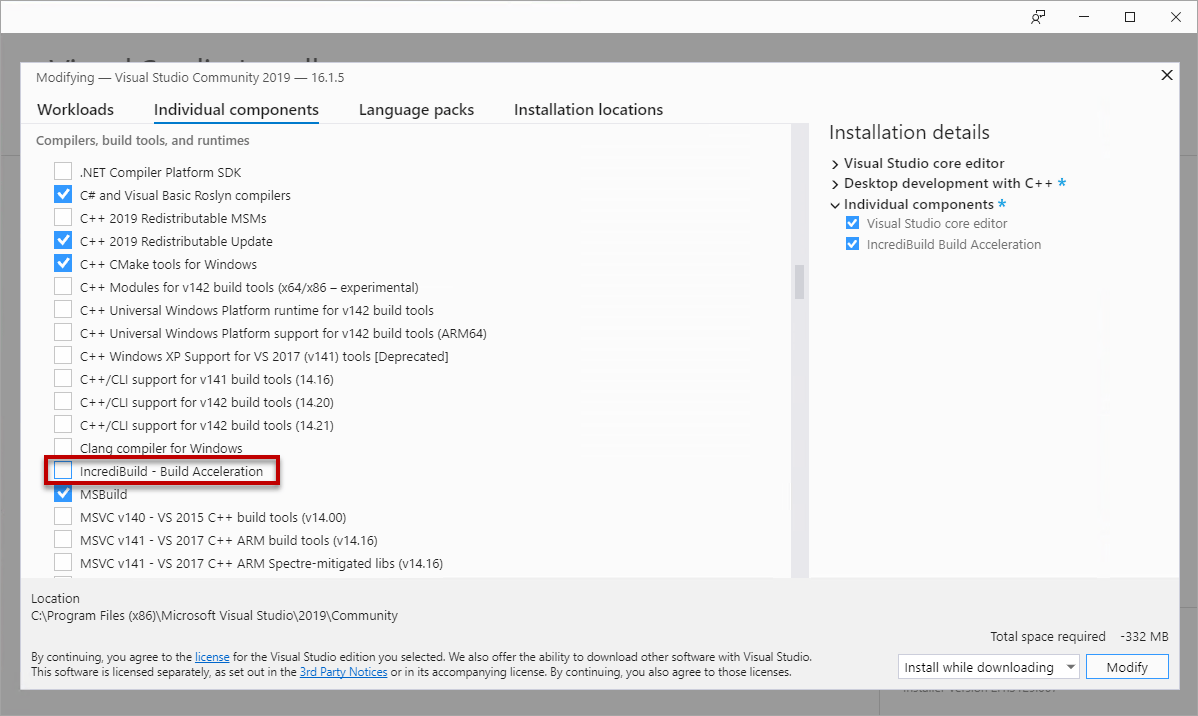
- Open the Tools menu > Get Tools and Features > Individual Components, and clear the checkbox of Incredibuild – Build Acceleration:
Visual Studio Integration Options
The same integration options are available for all versions of Visual Studio. For each version, you can select different options. See below image of the Visual Studio 2015 page.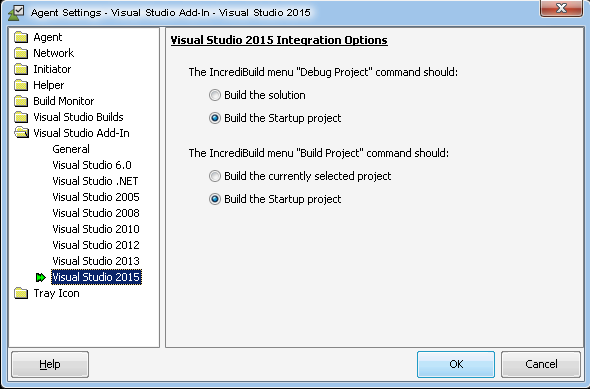
The Incredibuild menu “Debug Project” command should:
Two options are available:- Build the solution- This causes the “Debug Project ” Incredibuild main menu command to build the entire solution before starting a debug session.
- Build the Startup project- This causes the “Debug Project ” Incredibuild main menu command to build the Startup project and its dependencies before starting a debug session.
The Incredibuild menu “Build Project” command should:
Two options are available:- Build the currently selected project- This causes the “Build Project” Incredibuild main menu command to build the project currently selected in the Solution Explorer.
- Build the Startup project- This causes the “Build Project” Incredibuild main menu command to build the Startup project.