

-
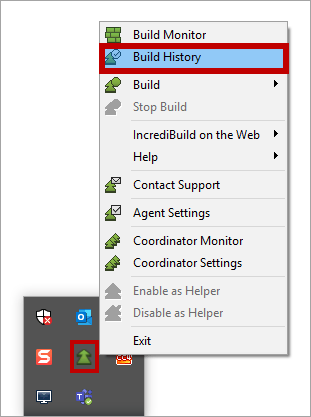
Open the Build History, by right-clicking Incredibuild Agent icon on the taskbar, and selecting Build History:
-
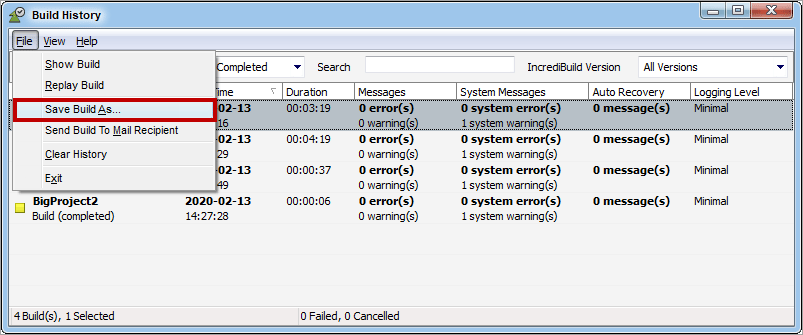
On the Build History, select from the Build list one of the three builds you executed. Then, Open the File menu, click the Save Build As option, and save the log:
- Repeat the log generation procedure for the two other executions you performed.
- Send the three logs to Incredibuild.
Other
Generating Logs for Successful Builds
To generate a log for a successful build: