- Prerequisite: This procedure assumes that you have already installed Incredibuild and Gitlab.
- Install an Incredibuild Agent on your Gitlab Runner machine. This Agent will function as an Incredibuild Initiator. Other Agents that are connected to the same Incredibuild Coordinator will act as helpers. We recommend verifying that the initiator agent and all helper agents are connected to the same coordinator in the Coordinator Monitor.
-
Create a file called gitlab-build.bat in the root directory of your GitLab project with the following content:
Copy
This batch file is triggered during pipeline executions. It instructs Incredibuild to build your VS solution using the configuration variables listed in the pipeline.
-
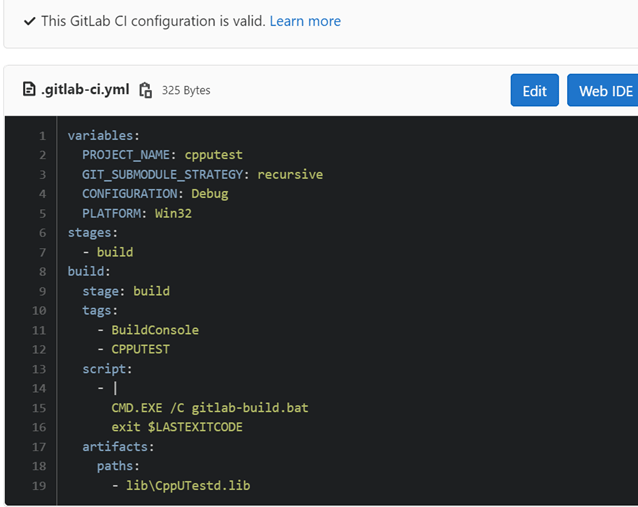
In your GitLab environment, edit the .gitlab-ci.yml file. This is a standard GitLab ci declaration file. In the script section, add a call to run the gitlab-build.bat file as seen here:
Verifying Build Distribution
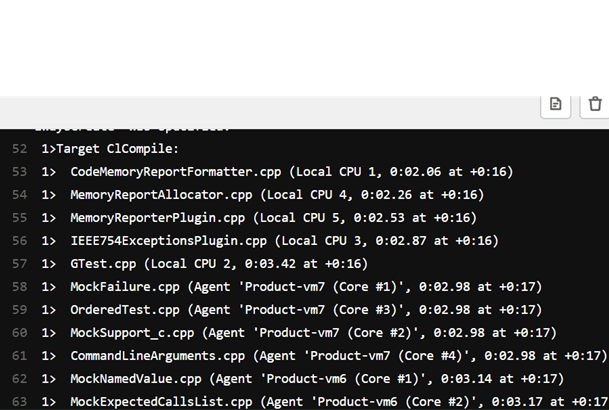
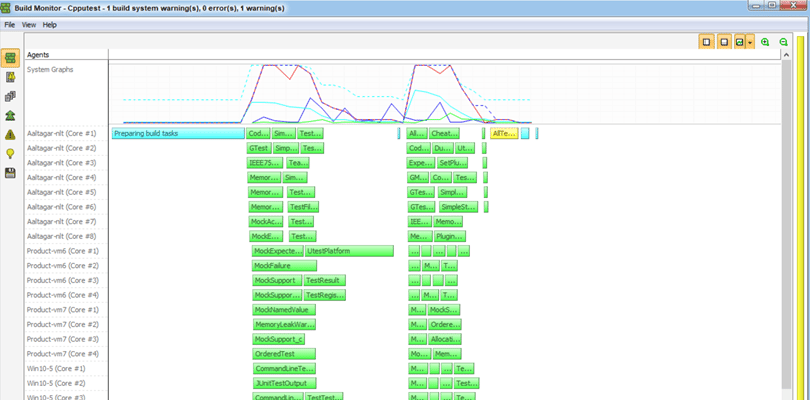
You can verify that connected helper agents are participating in the build process during a build in the command prompt. You will see which machine is running each task in parentheses as seen in this example: