- Build: Runs an incremental Cargo build through Incredibuild. It uses the same cargo command the IDE’s own Build Project would run (so the selected run configuration, build profile, and targets are respected).
- Rebuild: Runs
cargo cleanon the workspace first, then builds through Incredibuild (same cargo command as above after the clean). - Stop Build: Cancels the Incredibuild build or clean that is currently running.
Installing Incredibuild RustRover Plugin
To install the Incredibuild RustRover plugin:- From the Incredibuild site, download
intellij-ib-plugin.zip. - Open RustRover.
- Go to Plugins.
- On the Plugins page, click the gear icon.
- Select Install Plugin from Disk….
- Select the plugin file.
- Click Open.
- Click Accept to accept the Third-Party Plugins Notice.
- Restart RustRover, if required.
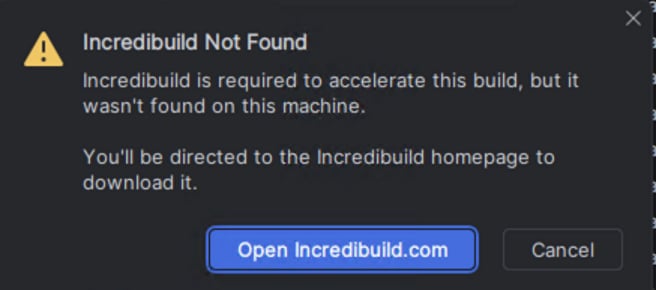
If Incredibuild is not installed on your computer, or if the Incredibuild version is too old, a message appears prompting you to download and install the latest version of Incredibuild.
Building using the Incredibuild RustRover Plugin
To build using the Incredibuild RustRover plugin:-
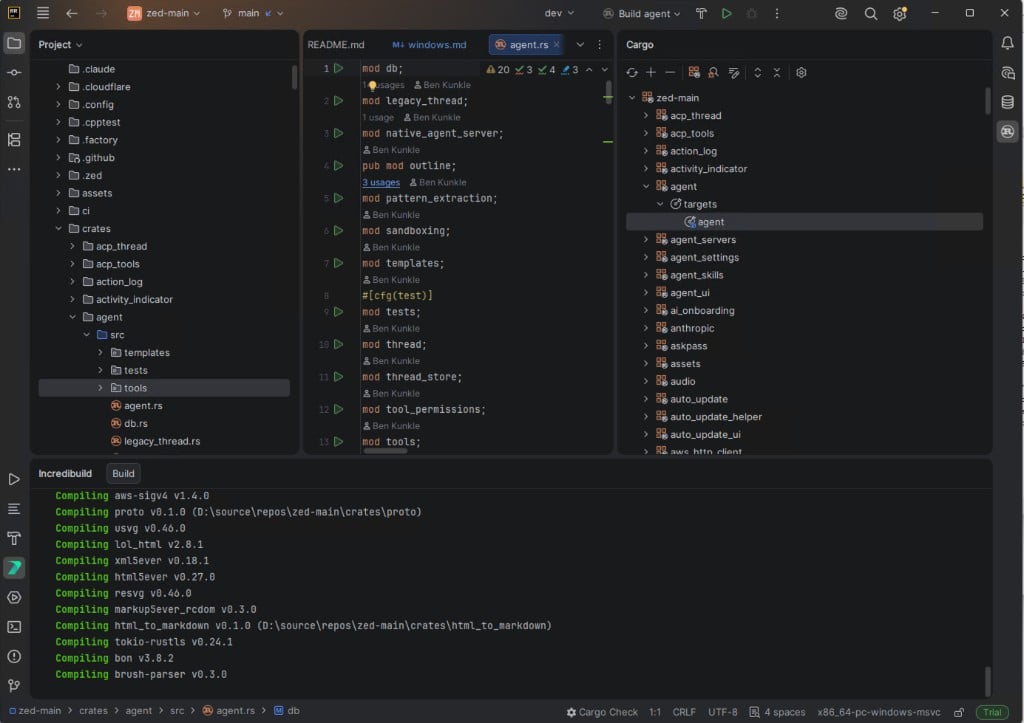
In your RustRover project, go to Incredibuild > Build. The build progress appears in the Incredibuild output pane.
-
To enable the Incredibuild integration into the native Build/Test/Run actions:
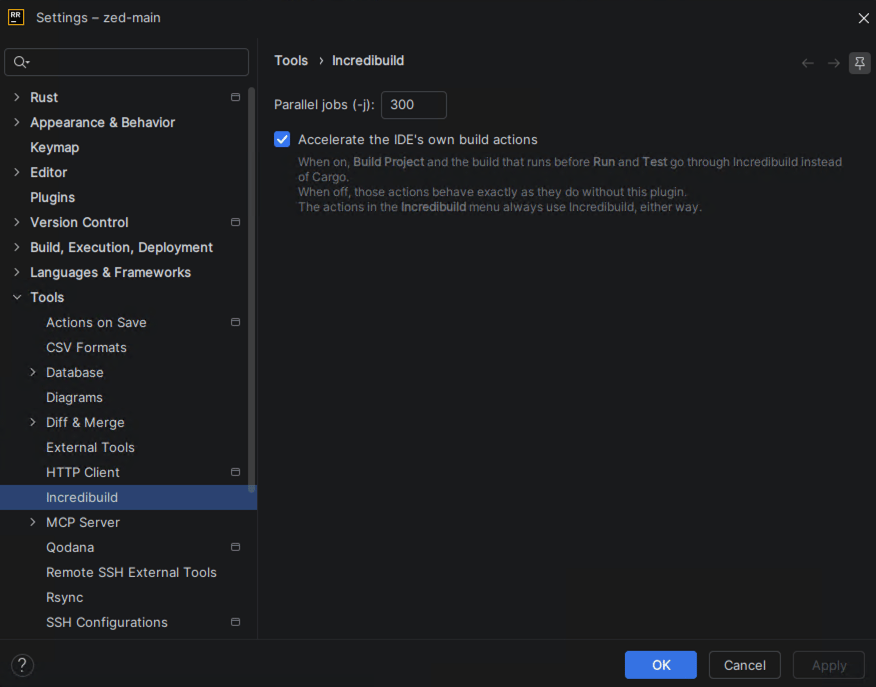
- Go to Settings > Tools > Incredibuild.
- Select Accelerate the IDE’s own build actions.
- Click OK.
-
Once the Incredibuild tool is enabled, click Build > Build Project. The build is executed using Incredibuild and the progress is displayed in the native Build Output pane.
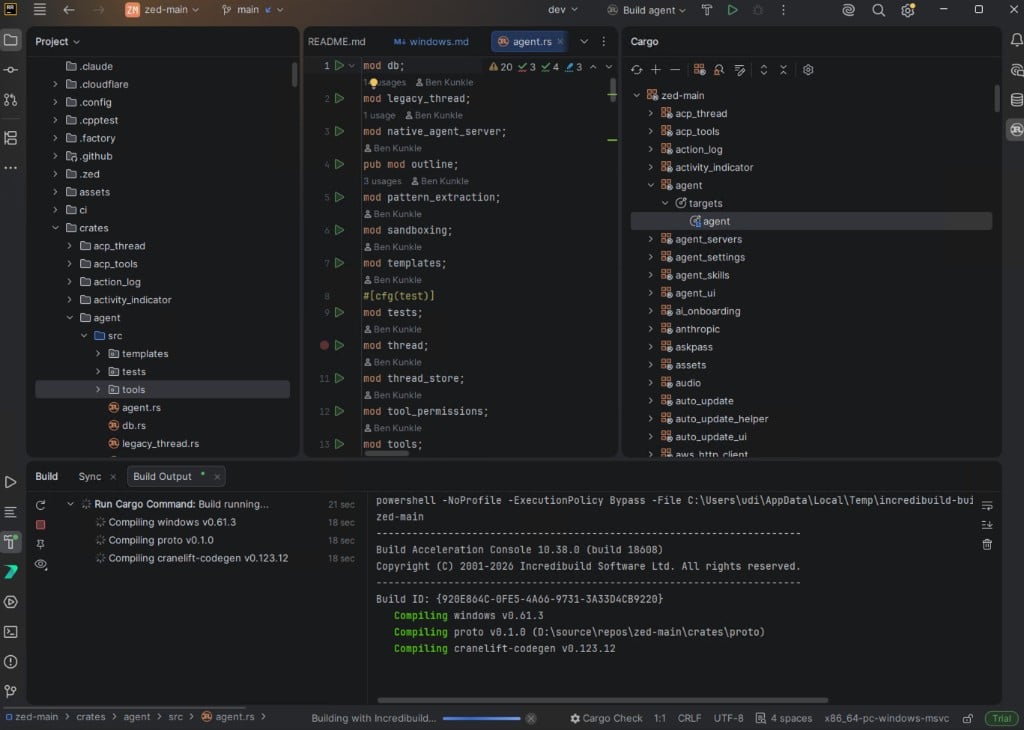
-
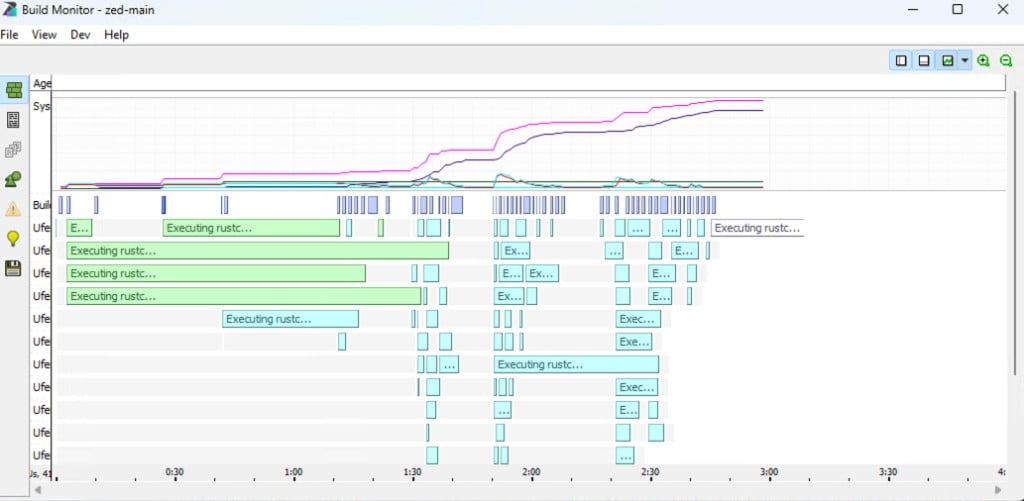
Open Build Monitor to view the build progress.