

How Does It Work?
Once you toggle the spot option in Incredibuild (IB), executed jobs will be broken up to tasks to be processed in parallel. Each task will be executed as follows:- Request - The Initiator (developer, CI etc) execute a workload, IB will request a spot instance at the lowest available (or as The Cloud vendor refers to it “current”) market price on the customer’s behalf.
- Provisioning – Once the spot instance is created and launched, IB will start provisioning according to the job on hand.
- Spot Interruption recovery – when spot instance is being interrupted by the Cloud vendor, IB “gracefully” recovers by setting the interruption behavior to “stop”, so that the instance retries to launch with the persistent volume as soon as the type is available in the selected region. IB then starts a new spot instance with its storage volume and existing IB Cache to resume the task’s processing.
- Completion – Once the job has completed, files get transferred back to the job initiator. The spot machine is retained in case it is needed within the same hour at no extra cost (AWS bills spot resources hourly). If the machine is not needed it is terminated 5 minutes before the hour is up.
How to Enable Spot:
In the Cloud Settings, go to Resource Management and select Use Spot Instances.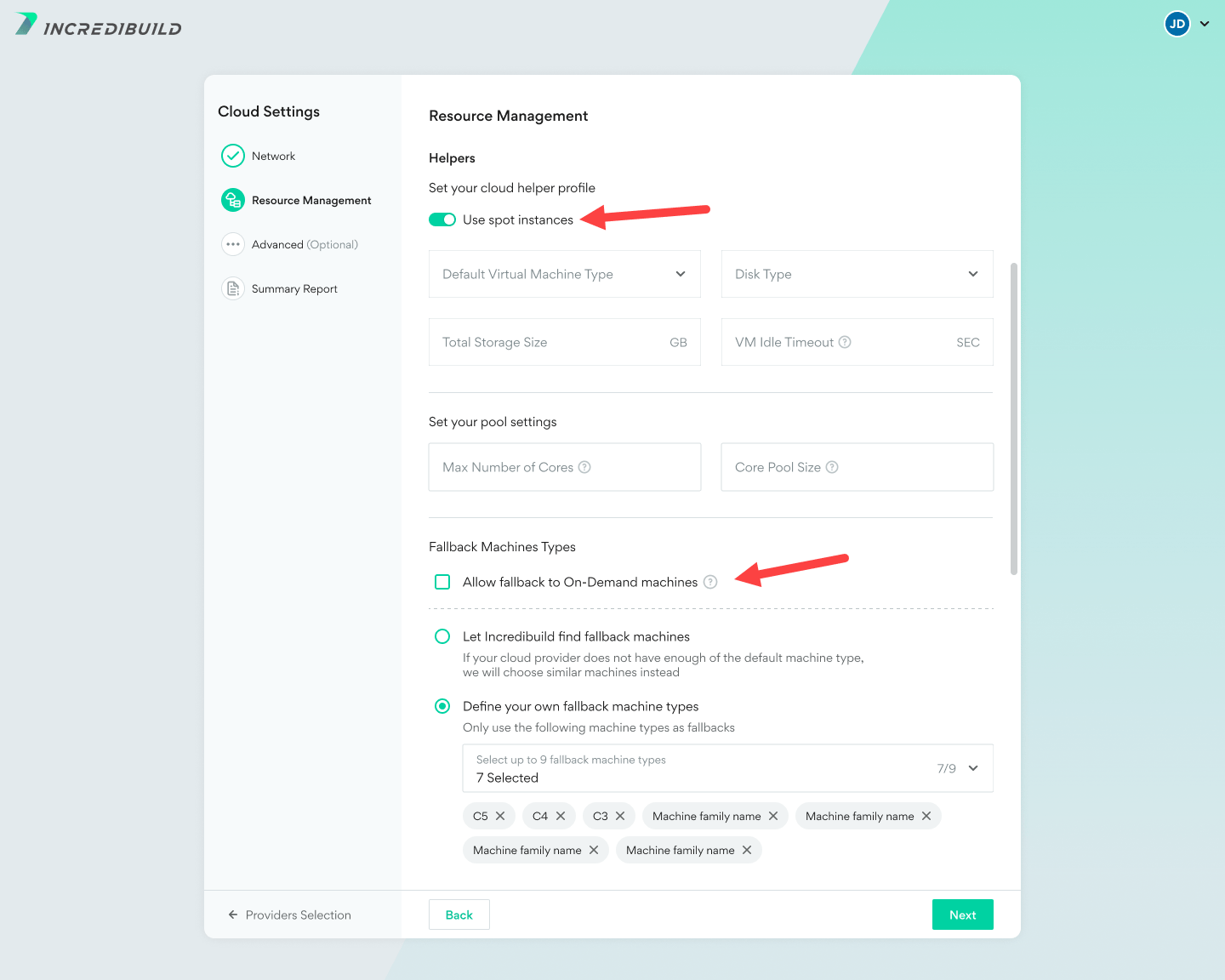
- If you haven’t done so already, create a role.
- In your AWS Portal, go to the IAM service.
- Select the Roles category
- Select the role they created for Incredibuild Cloud Solution
- Go to the tab ‘permissions’ – select your policy, view json and click “edit policy”

- Replace with the code with the following: